Author Archives: Allen Huffman

About Allen Huffman

Co-founder of Sub-Etha Software.

More cheers for Otterbox, and jeers for Drobo

  • 11/11/2015 Update: I now have my Drobo (thanks, FedEx).
  • 11/17/2015 Update: Eden, an inside sales person at Drobo, seems to have gotten the issue with orders being stuck “unfulfilled” fixed. I wonder if this was just happening to me, or to everyone getting shipments from Drobo? Also, added link to “full review”.

As previously mentioned, Otterbox makes great protective cases for phones and tablets. They also have outstanding customer service and warranty support. Recently, I damaged my iPad Otterbox Defender stand and wanted to get a replacement. Otterbox currently does not sell one for my model iPad so I had to contact them to ask how I could get one. A few e-mail exchanges later and I was told to call in on Monday to pay a $2.99 shipping charge and they’d send me a replacement. Amazingly enough, even with the damage being entirely my fault, they still wanted to send me a replacement at no cost (other than shipping). Everyone I dealt with, e-mail or voice, was incredibly nice and even apologetic over the process. Beyond Disney and Apple, I don’t think I have ever encountered this level of customer service. Way to go, Otterbox.

Meanwhile, things are not going quite as well with Data Robotics, creators of the Drobo backup devices. I have had two of those units which I purchased many years ago. Both are sold old they have been end-of-lifed by Data Robotics. Due to various problems which I will cover in a future article, I am now waiting for a replacement unit to arrive. The order was entered last Monday, then still showed “unfulfilled” in their tracking system three days later. Has Amazon spoiled us so much that we now actually expect a company to ship same or next day for online orders? I had to contact them to ask what was up, and was given a tracking number. Apparently they did ship the next day, but the system didn’t show that.

One week later, and the item is still not here. Actually, FedEx tried to deliver it on Friday, but I work days so I was unable to sign for the package. Due to how Data Robotics ships, I am unable to have the shipment “held for pickup” at the FedEx centers. Instead, I can only have someone sign for it. I am unable to do this, so apparently I am unable to receive packages from Data Robotics… I can’t imagine why they don’t allow me to go to a FedEx office and show my ID there to pick up a package, but would allow a stranger to sign for it at my address.

Hopefully I will eventually be able to get this shipment.

UPDATE: Thanks to the wonderful Cindy at FedEx Ground in Grimes, Iowa, I was able to pick up my Drobo from them on Friday night. She says I should have been able to do that anyway, though the FedEx online system would not let me redirect, and a rep at 800-GO-FEDEX also said I could not due to shipper restrictions. I don’t really care who was right as long as I can get my package ;-)

Eventually, my Drobo will finish rebuilding (it estimated as much as 440+ hours at one point) and I can move the drives in to this new unit for a full review.

Carl England writes books, too?

I met Carl England at the very first Atlanta CoCoFest, I believe, back in 1990. If it wasn’t the 1990 one, it was certainly 1991. I have been a fan of his work ever since. His SuperBoot utility was on virtually every RS-DOS disk I owned that had stuff I wanted to run by typing “DOS”. He is also the guy that demonstrated a Tandy DMP105 printer with an add on that turned it in to a full page scanner. It’s a pity that never made it to market. It was way ahead of its time.

Today I found out Carl has also written a fiction book. He is looking for enouhg nominations on Amazon to get it published. If you don’t mind, take a look:

https://kindlescout.amazon.com/p/GCH5VQG8NI6U

Thanks.

Chainless bicycles?

At another side-project site of mine I have been doing a multi-park review of a “chainless” bike. Instead of a chain, it uses a shaft. Instead of a derailleur, it uses an internal hub. The concept of a chainless bike is very, very old, but Dynamic Bicycles in Rhode Island has taken the idea and updated it with modern technology.

If you have any interest in biking tech, drop by and check out this review:

The Dynamic Bicycles Runabout 8 model is a hybrid bike (meaning it’s bigger/heavier than a street bike, but not quite a mountain bike). Getting rid of the chain solves a ton of problems/challenges with maintaining/tuning a traditional bike. Very cool.

YQ8008 bicycle LED light for $74.96 on e-Bay

  • 2015/8/25 – Added not about $36 YQ8007.
YQ8008 bicycle LED light (pic from e-Bay store), currently $75 on e-Bay.

A relatively new e-Bay store, Newell Development, has a listing for the YQ8008 three-arm bicycle LED light for $74.96 with free shipping from China. This model typically sells for around $130, but many e-Bay stores have it for around $80 with a $20 shipping fee. This $74.96 price is the lowest I have found so far.

They list the item as “generic” but I wrote them to ask if it was a YQ8008 (they use all the same official photos) and they responded:

“…it is Original with 100 Modes Programmable DIY Bike Bicycle Wheel Spoke Light. And it is in stock.”

Although the XuanWheel has four arms (so it can display images at lower speeds), the YQ8008 has a higher LED count per arm and thus produces a higher resolution image. You can check my comparison chart to see more details.

I have also found the YQ8007 (two arms) for $40 with free shipping from GearBest.com. I have received one to review. It shipped on 8/11 and was received in Iowa on 8/20, so just over a week — not bad. (As of this update, it is currently $36.)

See Also: XuanWheel for $79.

XuanWheel bicycle LED light for $79 on Amazon

  • 2015/8/14: Added note about e-Bay seller.
  • 2015/8/24: Added note that it now is shipped by Amazon, and qualifies for Amazon Prime shipping.
  • 2015/12/8: $72 on Amazon currently, and there are some reviews now (and notes from the seller explaining why the iOS app is “untrusted”. Buyer beware!)
XuanWheel (pic from Amazon store).

The XuanWheel (or is it Xuan Wheel?) just saw a $10 price drop. It is currently $79 at Amazon with shipping  from Amazon, so it qualifies for Amazon Prime. This model has four arms, and thus produces an image (or moving video) at lower speeds than the cheaper two arm models.

One of the two e-Bay sellers has them for $69 with free shipping (from China), currently.

See Also: There is also the YQ8008 (now found for $75 on e-Bay with free shipping) three arm unit which has a higher density of LEDs no each arm for higher resolution photos. XuanWheel is probably better at slower speeds, and YQ8008 probably has better images at higher speeds.

Installing iOS apps direct without going through the App Store…

One of the features of Android is that you can install anything you want, from any source — such as a developer’s website. Until app stores made all of this obsolete, this was the way all software was distributed. Sure, there were always index sites, such as VersionTracker.com or Download.com, where you could find links to all the installers, but ultimately everything came direct from the developer.

By contrast, Apple’s iOS apps only install through Apple’s App Store. Except that’s never really been true. Even without jailbreaking an iPhone, you have always been able to install an app direct from a developer for testing purposes. The developer had to be registered with Apple, but beyond that there were no barriers. Downloader beware.

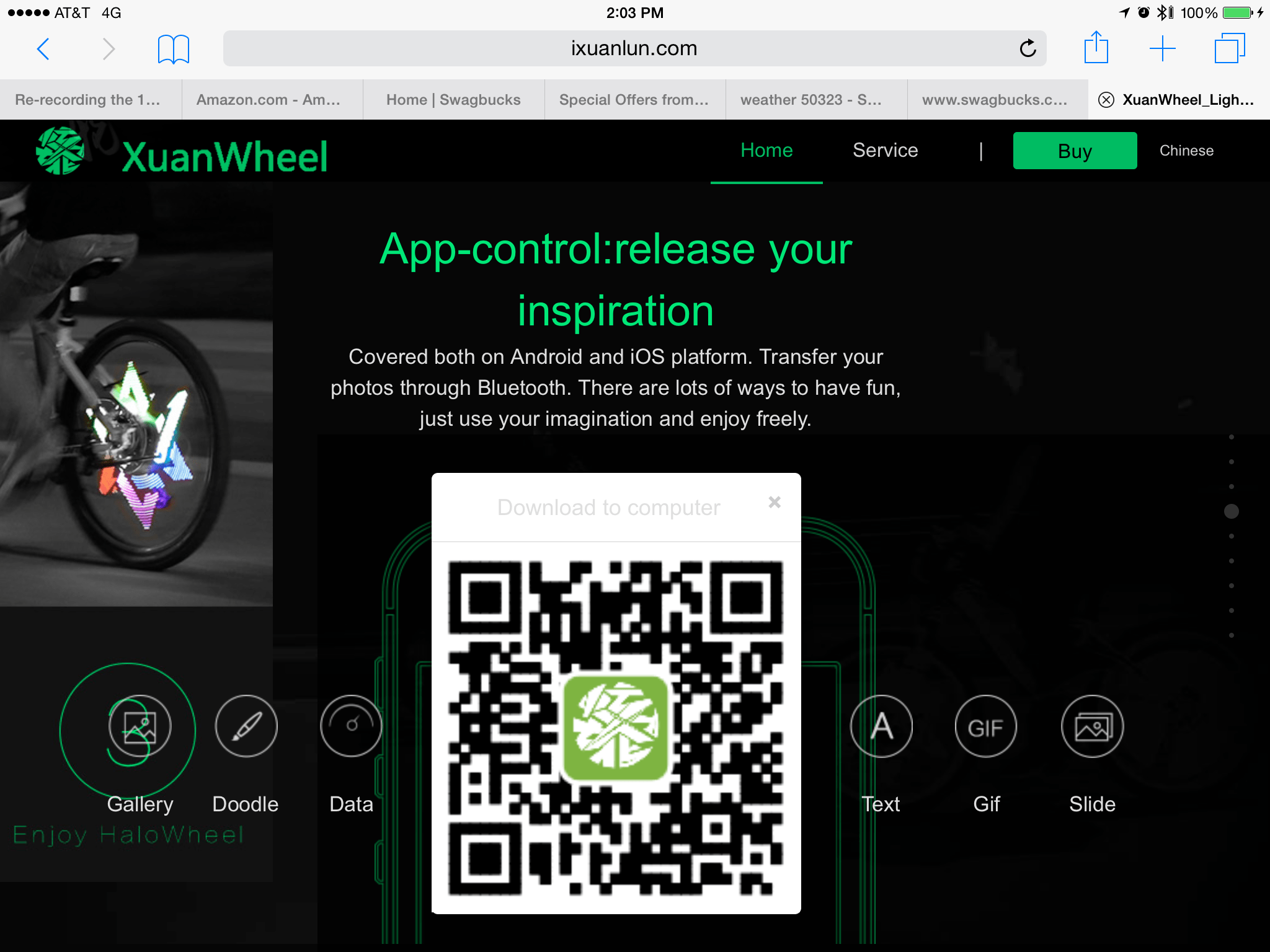
I recently came across what I believe is a misuse of this beta test capability… There is a computerized bicycle light I have been researching and it is programmed via an Android or iPhone app. Their app does not appear in Apple’s App Store. Instead, you get a QR code from their website which will take you to a special download website:

 
I don’t know why they don’t just post the link directly — I have a QR reader app, but most folks I know don’t. For those without a QR reader app, that location goes to:

http://fir.im/halowheelOversea

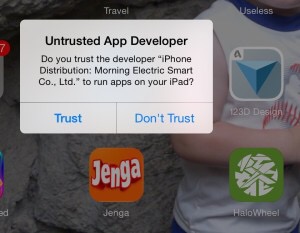
If you go there, you can download the iPhone app direct to your device, and your device will warn you:   


Do you trust this app? XuanWheel iOS app.


You can see the green app icon in the lower right of that screen shot.

So yes, a developer can do this… But isn’t supposed to. I assume they plan to get their app in the App Store at some point… Until then, I wonder how many are brave enouhg to directly install it?

Not me :)


Mac OS X Wireless Diagnostics to speed up WiFi

Did you know that Mac OS X has a hidden utility that will scan surrounding WiFi networks and suggest a better/faster channel for you to use?

Neither did I, until tonight.

After a few months of really slow Internet, I finally decided to contact CenturyLink to see what was wrong. My latency rates were over 800ms and, while speed tests showed good and Hulu and such would usually stream just fine, actual usage (web page loading) was SLOW SLOW SLOW. Anything with packets back and forth (not one way streaming, I guess) was SLOW.

After hooking my MacBook directly to the Actiontec Q1000 modem and shutting of WiFi, I found I was indeed getting fast speed… I then searched to see what could be the problem, and found this article:

http://osxdaily.com/2013/12/11/find-best-wi-fi-channel-wireless-tool-mac/

In it, it suggested the Wireless Diagnostics feature of Mac OS X. By holding down Option when you pull down the WiFi menu from the menu bar, you get more options:

Wireless Diagnostics in Mac OS X

Wireless Diagnostics in Mac OS X (hold down Option).

This brings up a neat little utility which has a Utilities menu with some cool features.

Wireless Diagnostics in Mac OS X

Wireless Diagnostics in Mac OS X is a cool “hidden” utility.

From the Utilities menu, I found Scan to be particularly useful. It will look at all the WiFi access points around you and recommend what channel you should set your WiFi base station/modem to for fastest performance:

Wireless Diagnostics in Mac OS X suggests the best channels to use.

Wireless Diagnostics in Mac OS X suggests the best channels to use.

And, most surprisingly to me, there is a WiFi packet sniffer built in! Enjoy!

Wireless Diagnostics in Mac OS X has a port sniffer!

Wireless Diagnostics in Mac OS X has a port sniffer!

P.S. – By switching from the “Automatic” channel 6 to channel 2, my latency went from 850ms to under 150ms. Still not great, but much better and maybe as much as I can do without moving my wireless devices around or building a Faraday cage around my home. :)

More on bike spoke light LED signs (POV)

  • 2004/8/09 – Adding link to Hokey Spokes.
  • 2014/8/10 – Adding link to manufacturer of YQ800X series products.

Last year, I posted an article discussing a cheap bike wheel LED display I picked up for $6 on e-Bay. Recently, I discovered many other ones seem much better. The cheap one I have has 32 blue LEDs, and is single sided, so you can only view it from on side of the bike. Since then, I have discovered full color versions with more LEDs and, most importantly, double-sided so they can be viewed on either side of the bike. Here is a rundown of my researc so far, mostly posted here so it can be indexed in Google, BING, etc. and maybe help others.

I will post links to the items available from Amazon (but NONE are actually sold BY Amazon, and most ship from China and take weeks to arrive). I have found hundreds of e-Bay stores selling them, too, often at far lower prices.

There is a company called ExcelVan that makes several, ranging from $20 to over $100.

The ones I have found so far include:

  1. YQ8003 – $45, double-sided, two arm, 128 LED, programmed via USB cable.
    http://www.amazon.com/Excelvan-Colorful-Waterproof-Programmable-customize/dp/B00WS2I8K2
  2. YQ8005 – $26, double-sided, two-arm, 96 LED, maybe not programmable (25 included pictures).
    http://www.amazon.com/Excelvan-Colorful-Pictures-Waterproof-Mountain/dp/B00W8QC1JC/ref=sr_1_cc_2?s=aps&ie=UTF8&qid=1439079623&sr=1-2-catcorr&keywords=YQ8005
  3. YQ8007 – $90 (but I found it for $40), double-sided, two-arm, 144 LED, programmable by SD memory card. This Amazon link is for a different brand name, so it is either a clone/bootleg or just another company selling the item under their name.
    http://www.amazon.com/Yongchengg-Programmable-Programming-Double-side-Waterproof/dp/B011U02790/ref=sr_1_1?s=sporting-goods&ie=UTF8&qid=1439079839&sr=1-1&keywords=YQ8007
  4. YQ8008 – $150 (Amazon Prime), double-sided, three-arm, 216 LEDs, programmable by SD memory card. By having THREE arms, it can display the color picture at a slower speed.
    http://www.amazon.com/gp/product//B00RE6KGNY/ref=twister_dp_update?ie=UTF8&psc=1

Update: Since the original posting, I think I have located the manufacturer of these devices. They produce YQ8001 to YQ8009. Some use preset patterns, some are programmable (they call them “DIY”), and some can even do video. I will try to put a chart together as I learn more.

Here is the YQ8003 installation video:

By searching for the “YQxxxx” numbers, you can find them being sold all over e-Bay and other online places — most shipping from China. The prices vary greatly. GearBest has the YQ8007 (they claim) for $40.99 with free shipping, for example.

XuanWheel (pic from Amazon store).

There is a difference in how they work, too. Some just display static photos, and some can display animation. But, the best one (maybe), is the XuanWheel.

http://www.ixuanlun.com/en/indexEnMobile.html

I believe it started out as an IndieGogo campaign called HaloWheel, but since Halo Wheels is a name of a bike wheel brand, maybe that’s why they changed it to XuanWheel? It is a double-sided, four-armed one that is programmed via Bluetooth over an Android or iOS device. This HaloWheel (per IndiGogo name) or XuanWheel (per website) runs $89 on Amazon (there is a $5 discount code right now) with free shipping (from China, so it takes a month to reach the USA). I found similar devices on e-Bay for as low as $73 (they may be knockoffs or clones).

This one looks like it can synchronize both wheel displays (if you have two). I could not find ANY information on what size hub it would fit, so I asked on YouTube and they replied:

The diameter of the hub should not be larger than 3.8 centimeter

WARNING: Their iOS app is not in the App Store. Instead, you just go and download it direct from their website. Assuming you like to just download random apps from sites in China… Yes, just like Android, you can directly install iOS apps without going through the App Store. BUT, they are not supposed to do that. That is, I think, how developers allow beta testers to get access to their apps before they are done and submitted to Apple. They only get a limited number of installs this way, I believe, and they are not meant to be distributing software like this. At least the iOS device will warn you:

Currently not in the App Store, you have to take changes with a non-inspected app from a website in China. Scary!

And lastly, there is even the Monkey Light Pro  by Monkeylectric that sells for $1000. It looks good, but not $1000 good!

More to come… I am hoping to have a review unit of one of these in a few weeks.

UPDATE: Commenter wb8nbs pointed me to Hokey Spokes, which at $20 16-LED spoke lights that can display preset patterns or simple one line text. The unique thing about them is you can use just one, or multiple. They sync to each other using infrared, and from the demo videos, it appears they all just do the same thing so all patterns look symmetrical (thus, any text would show the same in three places of the wheel when using three of these). Not color, but you can get them in different colors and create interesting rainbow effects. Not the most cost effective solution, but if you just want cool lights, one would be pretty cheap, and they ship from Indiana!

SPAM LITE

According to a bunch of tech news stories today (all echoing the same news from the same Symantec source), less than 50% of all e-mail is now spam. This is the lowest level of spam since September 2003.

istr-monthly-threat-report-spam-rate-lightbox

Keep that in mind when you complain about junk mail that makes it to your inbox… You should be seeing every other message as junk mail. Sadly, spam filters are also filtering out mail you want on a regular basis. I routinely log in to my spam filters and every day there are a few e-mails I manually release so I can read them that would otherwise never make it to me.

E-mail is broken, but like a car that needs a tune-up, it at least gets us to work most of the time…