
When the Insta360 X4 came out, it upgraded the recording format from 5.7K to 8K — basically a 4K image for each of the two lenses. When folks tried to upload these files to YouTube, apparently early on 8K would appear as a choice.
Then something happened.
For the past few years I have seen this topic come up time and time again in 360 forums on Facebook, REDDIT, etc. Folks cannot get their videos to show in 8K. Up to 4K is all it offers:
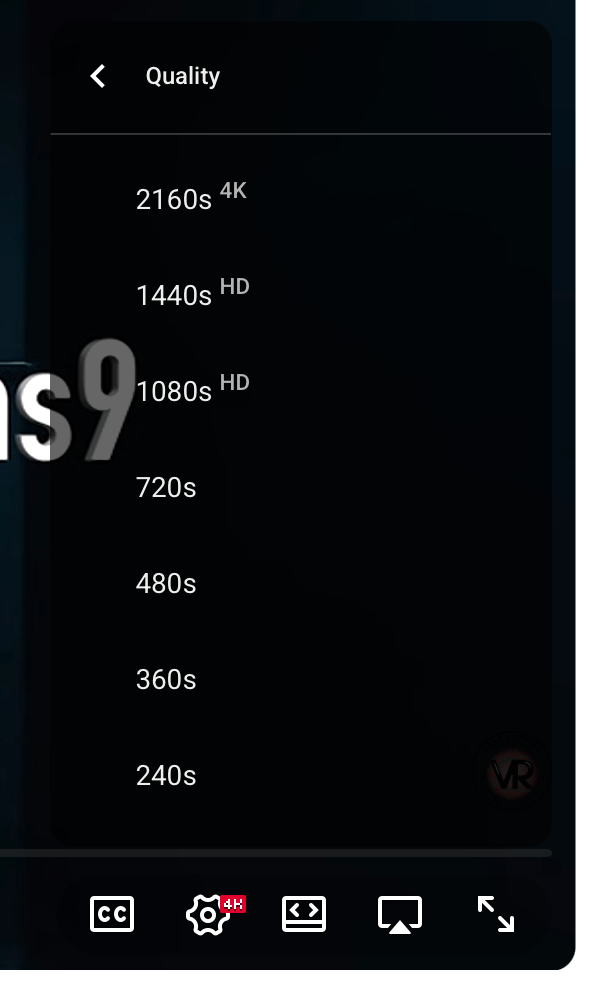
Time and time again, folks in the forum that got it to work just say “sometimes it takes awhile before it shows up.” However, the majority of us seemed to NEVER see this as an option, even months (or a year) later.
Recently, I began investigating this again. I label all my 8K videos as “8K” and it felt misleading to do so if no one could watch them in 8K.
Then I learned: YouTube used a different size for 8K, or so various “experts” claimed. Even though the Insta360 8K size of 7680×3840 worked fine as 8K in the past (for some), apparently now you had to resize the video to 7680×4320 and then and only then would YouTube show it as 8K. At least, according to many folks who were trying to make the work. Here is part of a detailed series of posts on REDDIT about this:
My attempts to do this did not produce 8K. Meanwhile, others still insisted that 8K “just worked” when directly uploading the file exported from Insta360 Studio (and, I would assume, the same size file from the DJI desktop app for the DJI Osmo 360 camera).
But not for most of us.
Does it work for anyone?
I ran into a YouTuber that was posting some 360-degree videos from amusement parks, and noticed they labeled them as 8K in their thumbnails. Yet, no 8K option when I viewed it. This led to a few exchanges in the comments, and them saying they could even see my videos show 8K.
I guess that 7680×4320 suggested by some was not important, after all… even though that is the resolution YouTube specifically mentions for 8K:
https://support.google.com/youtube/answer/6375112
When the experts disagree, you know we don’t really know what the rules are.
So why is it so many of us cannot see 8K, and others can see it just fine? I was today years old when I actually saw an 8K option or the very first time:
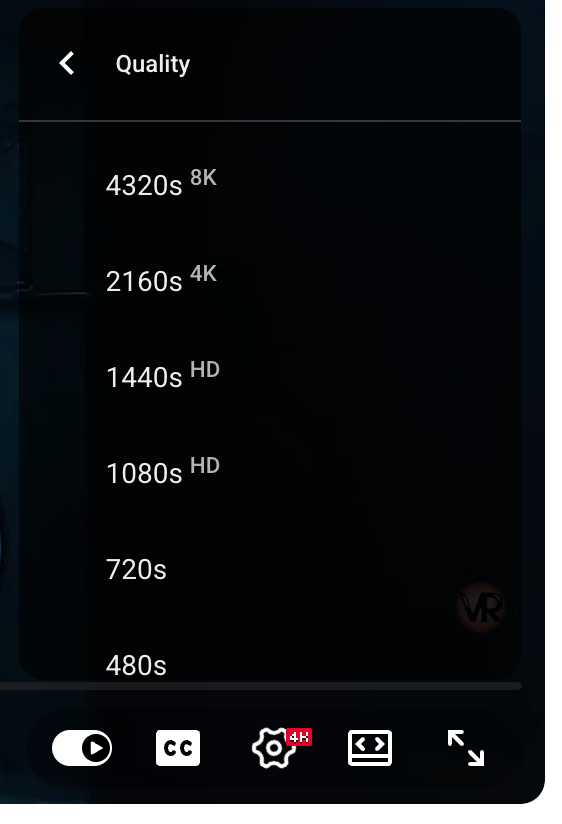
And, then I checked using a different browser on a different operating system (Edge on a Windows 11 machine) and saw it there, too.
Did something get flipped?
Please let me know if you can see an 8K option on the following video — and if you can (or can’t), tell us your browser and operating system. The PC I used was just a low end DELL with no special graphics card, and I am seeing it on an M2 Mac even though I just found a new post saying you needed an M3 or above to see them.
No one seems to know the rules. But one of you may, so let us all know. Thanks!