
This topic has been discussed here years ago, but every time something reminds me about it, I get annoyed. While my annoyance is triggered by how it works in the CoCo’s Extended Color BASIC, past research showed the behavior was the same even in much later Microsoft Visual BASIC. But why?
INSTR is a command to return the index where a target string is found in a search string. From one of the Getting Started with Extended Color BASIC manuals, it is shown as this:

What the manual did not mention is that it can also return 1 when there is no match. See this example:
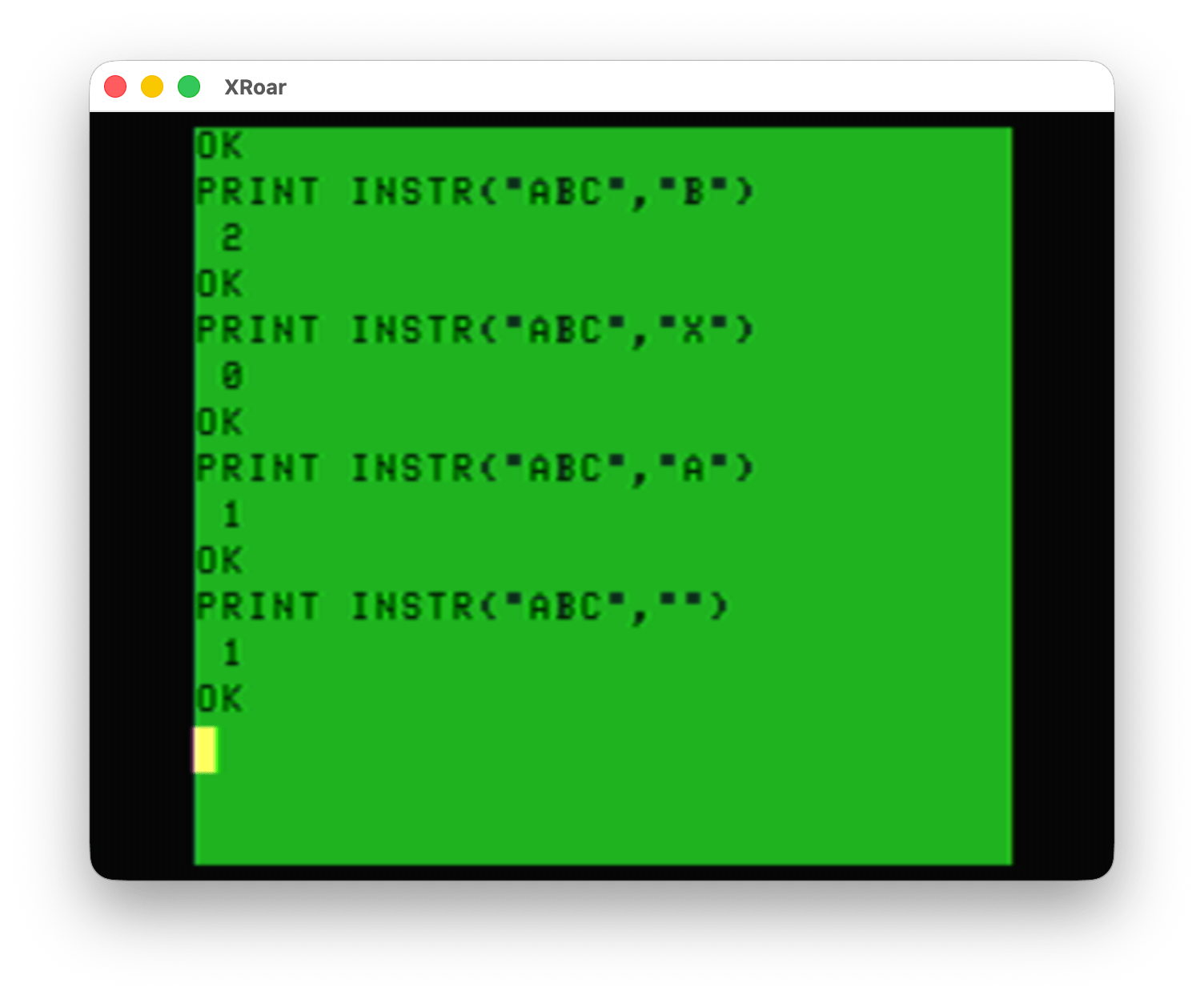
Looking for “B” in “ABC”? That’s at position 2. Good.
Looking for “X” in “ABC”? It is not there, so it returns 0. Good.
Looking for “A” in “ABC”? That’s at position 1. Good.
Looking for “” in “ABC”? Apparently “” is found at position 1. Don’t tell that to the “A” there.
Callbacks
I ran into this years ago when I was experimenting with various ways to handle key presses. You could have code block until a key was pressed, and then pass the key to INST and then use ON GOTO/GOSUB to get to the routine. Like this:
0 'INSTR.BAS
10 PRINT "A)BORT, R)ETRY, C)ONTINUE:";
20 A$=INKEY$:IF A$="" THEN 20
30 LN=INSTR("ARC",A$)
40 IF LN>0 THEN ON LN GOSUB 1000,2000,3000
50 GOTO 10

1000 ' ABORT
1010 PRINT"ABORT":STOP

2000 ' RETRY
2010 PRINT "RETRY":RETURN

3000 ' CONTINUE
3010 PRINT "CONT":RETURN
This was a great technique when dealing with a long list of menu options.
I had tried to optimize this by eliminating the A$ and embedding it inside the INSTR (someone in the comments may have suggested this to me; not sure if I am clever enough to have thought that up):
ON INSTR("ARC",INKEY$) GOSUB 1000,2000,3000
…but if I put that in my code replacing lines 20-40, running it immediately shows me “ABORT” as if INSTR returned 1.
Because INSTR returned 1.
The workaround suggested to me (again, from smart folks in the comments) was maybe to add a bogus value as the first search string character, and have that routine do nothing.
ON INSTR("*ARC",INKEY$) GOSUB 999,1000,2000,3000
However, for my example where I show the prompt again after it returns, it sticks in a loop printing the prompt over and over again. The code thinks the first option is being selected, then calls that routine (the empty routine that is just a RETURN in line 60) and then prints the prompt again.
0 'INSTR2.BAS
10 PRINT "A)BORT, R)ETRY, C)ONTINUE:";
20 ON INSTR("*ARC",INKEY$) GOSUB 60,1000,2000,3000
50 GOTO 10
60 RETURN

1000 ' ABORT
1010 PRINT"ABORT":STOP

2000 ' RETRY
2010 PRINT "RETRY":RETURN

3000 ' CONTINUE
3010 PRINT "CONT":RETURN
SO … it works, but the logic needs to be updated.
One quick solution is to not use RETURN and let each function decide where to go back to. When you GOSUB, BASIC has to scan forward (possibly starting at the top of the program if the line number is before the current line being parsed) to find the target. RETURN lets it “pop” back to right after the GOSUB, so that part is faster.
Also, GOSUB routines can be called from different places in the main code and they will return back to where they were called.
If these routines are never called from anywhere but the menu code, and the extra speed to GOTO back is not a problem, this this change makes it work. And, as a bonus, the fake first GOTO line can just be back to the ON INSTR again since it doesn’t need to do anything:
0 'INSTR3.BAS
10 PRINT "A)BORT, R)ETRY, C)ONTINUE:";
20 ON INSTR("*ARC",INKEY$) GOTO 20,1000,2000,3000

1000 ' ABORT
1010 PRINT"ABORT":STOP

2000 ' RETRY
2010 PRINT "RETRY":GOTO 10

3000 ' CONTINUE
3010 PRINT "CONT":GOTO 10
I am sure there are many other ways to solve this problem.
But why do we have to?
Why does INSTR behave like this? What is the benefit of not returning 0?
Hmmm, A.I. did not exist when I was first exploring this. Maybe I’ll ask one of the ‘bots and see what it knows.
Until next time…
This is logical, if you search for three letters it searches for that piece but when searching for nothing it starts in the first position and searches for zero characters that brings a null string and compares it with the null to search for and returns true in POS 1
How many op codes would it have taken to fix this?
No Edit posible
This is logical, if you search for three letters it searches for that piece but when searching for nothing it starts in the first position and searches for zero characters in the destination since it is useless to search for more letters if you search for fewer letters, that brings a null string as the first data found and compares it with the null to search and gives true