Category Archives: Facebook

Facebook Upload Failed error on Insta360 X6 photos

UPDATES:

  • 2028-08-31 – Solution added to the top of this article.

Thanks to this Facebook forum, I now understand the issue. “It was file size all along!” The confusion came from finding out that not all graphics conversions are the same — very similar to a previous problem I reported on dealing with images that can crash Final Cut Pro on an M4 Mac (Apple bug report).

My original error was thinking that recompressing to make a file smaller would work ;-) Turns out, it depends on what you use! Some conversion programs create files that Facebook will reject (just like the other bug where some conversions create images that the M4 crashes on, though the M1 handles just fine).

Proven to work is GraphicConverter for Mac:

https://www.lemkesoft.de/en/products/graphicconverter

And Affinity Photo.

So if your image is too later (somewhere around 66MB), Facebook will reject it. Just use a program that lets you open the JPG and save it back out, then try that. When I first did that, and the smaller file still did not work, I assumed it had to be something else — meta data or whatever.

Turns out, if you use a conversion that works, then getting the file below whatever 66MB limit Facebook has does work.

So if a file is rejected, try to open it then save it out in a graphics program. That saved out version may work or may still be rejected. (Apple Preview, for example, won’t save out a JPEG in 10-bit color, so I did not try testing its result. Quick Actions made a file that was rejected.

Your milage may vary! But it is just as simple as “make the file size smaller” and “make sure the program you use to do this makes a file that works for Facebook.”

Try :)

Original (now obsolete) post follows…

Has this happened to you?

The Insta360 X6 exports 360-degree photos at 15520×7760, versus the X5 at 11904×5952. The file size is also larger, with images around 76MB versus around 30MB on the older camera.

When I first tried to upload an X6 image to Facebook, most worked, but a few would error out. They were large files, so I tried compressing them down (same image size, but reduced file size) thinking that was the problem. This allowed me to upload them. Problem solved.

But then I had this batch of five images… All fail. Even when I downsized the files to around 26MB each, Facebook still rejects them.

It is clearly not the resolution, since some work.

It is clearly not the file size, since some work.

Does anyone know what the rules are here?

If I figure it out, I will update this post. Until then…
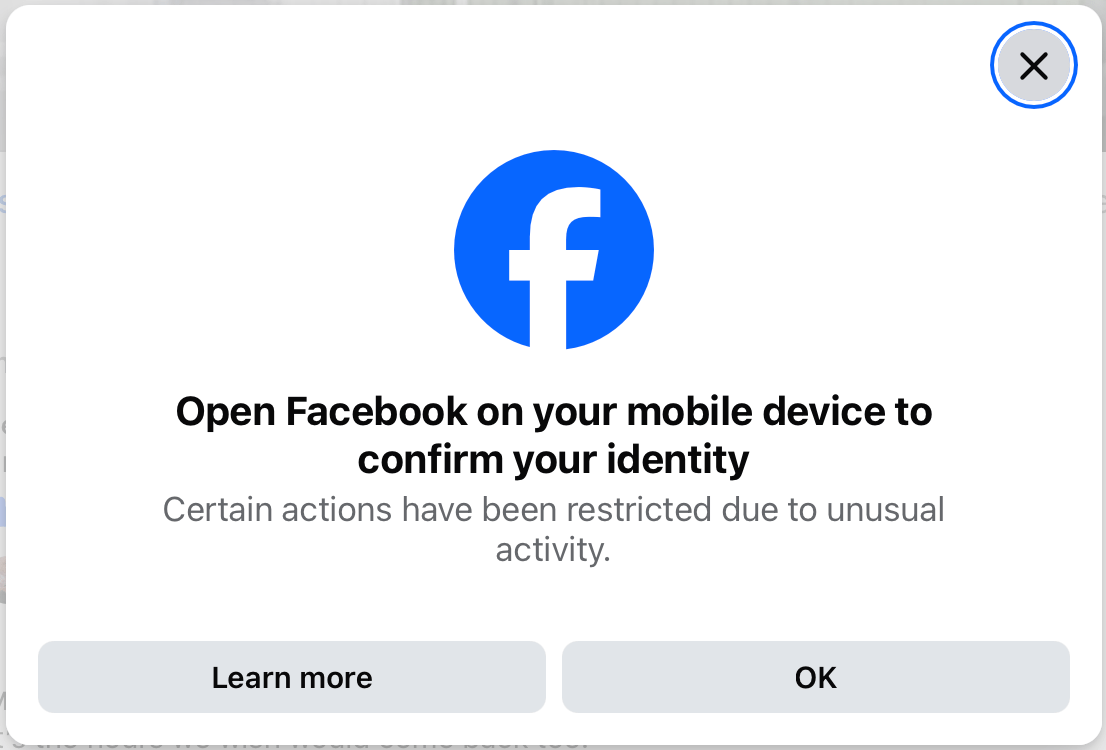
Facebook: Certain actions have been restricted due to unusual activity.

Or,

Life without Facebook is … really good.

I have not used my personal Facebook page in years, and do not have Facebook Messenger installed so the only thing I really use Facebook for these days is for Pages I admin, and groups I participate in.

I think two of my Pages are monetized, though I do not recall how they got that way. One has only earned me a few dollars, but the other recently earned me $33, then $78 and the next payment should be about $180. Surprising, considering I do nothing any different today than I ever have — I just posted something that touched a nerve and folks decided to share. Neat.

But, when this happened, Facebook decided something was wrong and blocked me from being able to Reply to comments on my own pages. I would receive noticed like this:

Fun. I spent a few days trying to get this corrected (there were no notifications on my mobile apps), and eventually found where they needed me to “verify” again. I had already previously had to send them scans of my driver’s license (when money is involved, the government wants to track it). I did that again, or at least tried to. App problems, image rejection problems, etc. On the third try it worked and their AI robot said everything looks good and it could find no problems.

But I still kept receiving this message.

A.I. robot help is useless. It gave me three different instructions telling me where to go and what to click on. Each time, I would explain “there is no such option in that menu.” It wasted my time, and I stopped. The only thing it said was that I should want another 24-48 hours and not touch my pages since that could be resetting the block.

I took the week off…

And it has been GREAT! Even though most of what I post is scheduled ahead of time, scheduling those posts still might take me 15-30 minutes to do for the next few weeks of posts. I also liked to go in and Like or respond to Comments on posts that were getting a lot of attention (one has been seen over 250,000 times, which is weird considering my page only has a few thousands followers).

Just when I thought “maybe I will enjoy posting more now that they are paying me to do it,” they take away my ability to do so ;-)

Lather, rinse, repeat.

Anyway, just wanted to say … they certainly did help me use their service much less. Maybe next week I will check again and see if I can get back to becoming rich by wasting time on Facebook.

To be continued?