Category Archives: CoCo

Tandy/Radio Shack TRS-80 Color Computer (CoCo)

DS-69 digitizer revisited

The Micro Works Digisector DS-69 / DS-68B digitizers were really cool tech in the 1980s. Looking back, I got to play with video digitizers, the Super Voice speech synthesizer that could “sing”, and even the E.A.R.S. “electronic audio recognition system” for voice commands. All of this on my Radio Shack Color Computer 3 in the late 1980s.

How many decades did it take for this tech to become mainstream in our phones or home assistants? We did it first ;-)

The DS-69 could capture 128×128 or 256×56 photos with 16 grey levels (4-bit greyscale). It also had a mode where it would capture 64 grey scales, though there was no viewer for this and I cannot find any attempts I made to use this mode.

I did, however, find some BASIC which I *think* I wrote that attempted to read a .PIX file and print it out to a printer using different ASCII characters to represent 16 different levels of grey. For example, a space would be bright white at level 0, and a “#” might be the darkest at level 15.

First, GREYTEST.BAS just tried to print blocks using these characters. I was testing.

5 DIM GR(15):FORA=0TO15:READGR(A):NEXT
10 PRINT#-2,"Grey Scale Printer Test:":PRINT#-2
15 FORA=0TO10:FORB=0TO15:PRINT#-2,STRING$(5,GR(B));:NEXT:PRINT#-2:NEXT
99 END
100 REM * Grey Scale Characters (0-15)
105 DATA 32,46,58,45,105,43,61,84,86,37,38,83,65,36,77,20

I asked the Google search engine, and its Gemini A.I. answered:

Dec.  ASCII
Value Character
----- ---------------------------
32 Space (invisible character)
46 . (period or full stop)
58 : (colon)
45 - (hyphen or minus sign)
105 i (lowercase i)
43 + (plus sign)
61 = (equals sign)
84 T (uppercase T)
86 V (uppercase V)
37 % (percent sign)
38 & (ampersand)
83 S (uppercase S)
65 A (uppercase A)
36 $ (dollar sign)
77 M (uppercase M)
20 NAK (Negative Acknowledge - a non-printable control character)

I must have been manually counting how many “dots” made up the characters and sorting them. I recall starting with the HPRINT font data in ROM (which is what my MiniBanners program used) to count the set dots in each letter, but the printer fonts would be different so I expect this table came from trial and error.

The 20 NAK (non printable) is an odd one, so I wonder if my printer DID print something for that – like a solid block graphic.

Proving memory is not always faulty, I also found TEST.BAS which appeared to open a .PIX file and print it out using this code:

0 POKE150,44:PRINT#-2,CHR$(27)CHR$(33)CHR$(27)CHR$(77)CHR$(27)CHR$(64)CHR$(15)
1 PRINT#-2
5 DIM GR(15):FORA=0TO15:READGR(A):NEXT
10 OPEN"D",#1,"SMILE.PIX",1:FIELD#1,1ASA$
11 PRINTLOF(1)
15 FORA=1TO64:PRINTA:FORB=0TO127:GET#1,A+B*64:GR=ASC(A$)
20 PRINT#-2,CHR$(GR(GR AND15));
25 NEXT:PRINT#-2:NEXT:CLOSE
99 END
100 REM * Grey Scale Characters (0-15)
105 DATA 32,46,58,47,62,63,61,84,86,37,38,90,65,69,77,35

I see line 10 opens the file with DIRECT mode with a field size of 1 assigned to string variable A$. This means doing a GET #1,X (where X is a byte offset in the file) would get that byte into A$ so I could get the ASCii value of it (0-15) and use that to know which character to print.

I have no idea if this worked… So let’s give it a try.

I see the program print “8192”, which is the Length Of File. A 128×128 image of bytes would be 16384 in size, so I am guessing each byte has two pixels in it, each 4-bits.

I see I am ANDing off the upper bits in line 20. It looks like I am throwing away every other pixel since no attempt I made to read those other 4-bits. This is likely because this was printing on an 80 column printer, which would not print 128 characters on a line. Instead, 64 would fit.

And, wow! It actually works! I had to reduce the font size down for it to display in the WordPress blog, but here is the output. Step back from the monitor if you can’t see it.

################################################################################################################################
################################################################################################################################
///////////::/:/:::.:::::..:.:: ::/.:://///>>=%V%%V%TT===>>>//?>::.. :. . .. . :.. . ::: . :::.:::::::://:::/:::://////////////
///////:////:://::::.::::...:::.::////>/>?=%EAEMAMEEEMEAAME&%VT=?>//::::. .: . .::.. :::.. .. .::::::::.//:://///////////>/////
//////://///:://::::.:::::.:::://>/??TV%%&EMMMMMEEMMMMMAEMMEEAA&ZVT=?>::.. .: . ... :::...:.:.::::.:::..:::////://////////////
///////:///:::./.::...:::::////??V%AEEMM##MM###MMMMMMMMMMEAEMMMEEZZZ&V=>//::: :... ::: .:::.::..:::::/::////////////////////
//////:://::::/::::: :::///?T%AAM#MMMM#M########M#MMM#MMAEMAEMMAAA&ZZ&V=/:: . :.. :: . ..:.:: :::::/:::////://////////////
/////:::://:::./ .:. :.::?/?T%ZEMEMMMMM###########M#MM##M#MMMAAAEEMEEMMAZZZT>/:. :: . : . ... :: :::::.:::::://://////////////
/////:::::::::.. ::. ./?>?T&AAEMMMMMMM#MM########MMMMMMM###MMMAAAAAAEMMMMMEA&=//::: ... . .:.. .:::...::::/:://////////////
/////::::.::::: :: :?=T%MEEEEMMMMMMMMMM#####M#MMMEAEAMM##MMMMMEEEAAEMMEM#MAMT>/:::. .: . .. . ::... :::::/:::////:///////
/://::::...::. . .::>=V%AEMEAEEMMEMMEMEMMMMM#M#MEEAZZ&%&ZEEMMAEMMMMMMMMMMMMMMEAZT>//:. . . . .. :::.. :::.::::://:::///////
:::::::::. .:. :?TT&AEEEZAEEEEZEZZZEEMEEEMMMM#MAAZ&&V&V&ZAMMMAMM###MMMM#M#MEMAAT?//: :. . . . :::. ::...:::/:/:::////://
:::. ::: :: .:/?T%&EM#AAEMMAEZA&ZAZZEAAZAMMMMMMAAAZAVVVV%&AM#MMEMM##MMM####MMMAZ%>//:: . . . . :::.. :. ..:::::/:::///:://
:::: ::: ::.:>?VZAEMMAZEMMEAAAZZAZAZEAAEAAZEAMEMAA&&%VVVV&AMM#MMMMM#######M###M&V?//::: . . . :: . :... :::::/:::///:://
.::. .:. ::/?%AAAMMEAEMMEMAAZAAAZAAEAAZZ%%%ZAEEAA&Z&%V%%&AAM#MMMMM#######MM#M#ZTV>//:: . . . ..: :. . :::::/:::////://
.:. .:: . .:/>%EEAEMEEE#MMMMAAAEAZZZEA&ZZZVVVVZZAZAZAZZ%V&&AMEMMM##MM#M######M#MM&T?//:::. . . ... :... :::::::::///:://
.::.. .: . .:=VZMZEMEMMMM#MEEAAMAZZ&AA%&&Z%TVTTV&&&&ZEEZZZV&ZA#MMMM#############MEZ=T>/::/. . . :: . :..../:::./:::/.::::/
.::. .. . :T%MEAMEEMMMMMEMAAEA&%%ZZ%VV&&TTTTTTTV&&ZAEAZAE&&ZAEMM########M#M#M#MMMM&?/::/. . . .: :. . .:: ..:::///:::/
.. .: . /T&EZEEMMMMMMMEAZEZ%VV&&&%VVZVTTTTTTTTVT%&EAMEEMAZAME#M#M######MMMM##MMMZT?/:/. .. . .: :. :.:..::::///::/:
.. .. . :T&&&EMMMMM##MMEMA&%VVTVTVT%%VTTTTTTTT=TTTVZZAMMME&VTTTVZEM#ZAM########MM%?///:... . ... .... .:: ..::::..:::/
:. . .:T&&AEAMM#####MME%V%VVTTTTTT%VTTTTTTTTTTTTV%TVV&VV=. .>=T%ZMZAEM##MMMMMZ&VV?///:: . .: :: :.: ::::/:/:::/
:.. . . :?%&AM#MM#####EMZVVTVTTTTTTVV&TTTTTTTTT%&VTTTTTTTTTTTTTTTTTT%&EEE#####MMA&%T?///:::.. :. :. . :::: .:::://:::/
:. . ../=VZMM#######MEAAEZ%VTTTVVVV%%VVTT=T=TTTTTTTT=>TTTTTTTTTTVTT&TT&E######MEV=/////::.:. :: . :. . .::.:.:::://:::/
:. .. ...::/VZMM#######E%TTTTVVTTTTVTTTTTEVT===ZTTTVTV%? ?VZZ%V%&VVVT=VTTTTZM#######MZVTT=>:::: :. :: . ..: ..:::::::://
.. . .. . ..: =ZMM##VZEEEZ&TVVTTTTTTTVTTTVV&M#TZE#%TTTV%ZV&EEEATTTTTTTTTVTTTTT&MEAAEE#M#MZTT?>?>//:.::. ::.. ..: :::/.::::/
:. . :..?&E###MMM#MZ%VTTTTT/ .=T&V&V%%EZT=T%ATTTTTTTTTT=TTTTTTTTTTVTTT=TVZMEAZZZEM##M&=>/:/::.:: . :: . .: .::::::/:://
:. . .....>%M#M##M##MZ%TTVVZZAEA##ZVTTV&ET=>>=%ETTTTTTTTTTTTT===TTT=%TTTTTTZEE&&&%A&###M%=>>///::::. :: . .: . ::::/::://
: .. :::=VZ#M#####MZTTVV%VTTTTTVVTTV%&ZT===?=TA%T=TTTT=====??=TTTVVTTTTTV&AAAEZZVVAMM#E&T>///:::. ::: ..: ..::://::://
:. : .://VA#M#####E%TTTTTTTTTTT=TTTTTATT=>=?=??%Z%TTTT==??>/??TV%TTTTTTTTAE#MAAE&VE###EA&?///:::. :: . ..: ..:::::/:://
: . . . ....>VE#M####METTTTTTTTT==TTTTTTZZTT==>?=?T==TZZZV=TV%%%EZ%TTT=TTTTTTV&%%&ZAZZ####EAZT>///::.. ::. . ..: . :::.:::://
.: : . .::V&M#######ATTTTTTTTT===?==VAE%T==>??=??==TTTTTTT======TTT=T=TTTTTTTVVTT&EM###M#EAV>///:::. ::: .: .:::://:/://
:. .. . .::=&E########EETTTTTTTT===T%&T%%TVVTTTVVZE%==TTTTT=T=?====?====TTTTTT=?TTTTAMMMMEMAZVT??//://:::: . .. ..:::..::://
.: . .: .::/?%MM##MMM#MMMZ%Z%ZZ&ZEAZ%TVTTTVV%MA%VV&TV&VVTTTTTVTTTT=TTTTTTTTTTTT==???TVEMMM#MMAVT=///////.::: . ..: ..:::///:://
.: ..:.:>TVZMM###EEAMMM#A%TTTTTTTTTTTTTVTV%V%T%VVTTTT====?==TVTTTTTTTTTTTTTT=VT==TT%AM####EAZ?>/////////:::.. .:...::://::://
.: . .:::/?T%E#####E&AEMEMMZTTVTTVTTTTTTTVVTTVTTTTTTT=????=?>=TTTTTTTTTTTT=TTTTZ###########M&&V?>/////://:::::. ..: ..:::.:::://
.:. ..::/=%AAM######A&A#MMMEVTVTVTTTTTTVTTTTVTTTT===?=?===?====TVVTT==??====?=TZ#########MMMZ%?>/////:::..::: ....:.. :::./::://
.:...::/TV&V&M#######MMMMMME%TVVVVTTTTVTTTTTVVV%%VVVV%%%%%%VZ&ZMM&TT==?>===T?=VE##########ME%=//////::::: ::: ::... ..:::///:::/
.::/:/>=T=>TZM##M#M#######EMZVVT%VTTTTTV&&ZZAVTTT?//=>/?//?/??TZV%T==???===TTT%#############ET>/////::::..::: : .::.. :::.:/:://
:::////////TTAMMEMM######MMMM%VVVTTTTTTT&##AVT==>>>?===T==V=&TTT=T===>?====TTTEM#########EMM#V?/////:::::.::: : :.:..:::://::://
:://////////=TZMM#M###########%VVTTT=T=TTTTVVTTTVVVTTTTTTTTTTTTT==?=?>?T==TTTAM#########MMMZA&=>>///::::..::....::: .::::///:///
//////////>>TVE###############E%VVTTTT==T=TTTTTTTTTTTTTTTTTTT===>>??===?=TTT&M###########MMEAAT>>///:::::/:::...:::...:::/:::///
/////////>=TZM#################AVVTTTTTTT==TTTTTTTT=T??===?T===>>>>?=TTT=TV&Z###########MMMEAAV?>///:::::::::::.:::../:::://:://
////////?T%EM###M###############MVVTTTTTTTTTTTT=TTTT==???=>=>?>>>>?==TTTT%&&E######M###M##MEMA&?>////::/./::::..::: ./:::///////
///>>>>=V&AM##MMM################MZ%TTVTTTTTTT==?==???>///?>/??>??===TVV%Z&VA########MEMMMM#ME&T>>///::://:::::/::: .::::///:://
/>>>>?TV%EM#MME&M##################MZVVVTTT==T==>=?>/>>/>>?>/>=T=TTTTVV&&%%%E###########M#M###M&=>///::/:::::::/:::../:::///////
/>/>?TVA%AMMME%&M###################EZ%VTTTTTT==?=?>??>?????=TTTVVV&&%&%%VV%M##################AV>////:://:::::/:::::/:/:///:///
///=TV%%VMMEM&TZM###################EZA%V%VVVTTTTT=TTTT==TTTTVVVVV&&&&VVTT&AM##################M%?////:///::::/:::::./::////////
>??TVV%T%MEAA%VZA###################EA%%&Z%%VVV%TVTVTTTTVV&&VVV%%&Z&%%VVT%AM###############M###M%?/////////::///::::./:::///////
==TVT%TV%MMAEVV&A###################MA&V&%%VVVVVTVVVTV%VVV%&V%%%&&%%TVVV%AAM##############MM##MEV?////////:::///:::/./:::///////
TVV%V&VAMMMMMVVZE########MMMM########MA%%%VVVV%%VVVVTV%V%V&&&Z&%V%VTTVVVZM#M#############MMM#ME&=>/////////::///:::////::///////
TV%&ZZEAM####MM############MMM#######MMZ&%VVVVVV%VVV%%&VV&&&%%V%VTTTT%ZAE#####M##MMMM####MMMMA&T>>/>///////::///:::::///////////
T%V&&MAMM####################M########MEZ&%VVVTTVVVVT&VVV%%%%VVTTTVV&AEM###M###############MMAVT>>/>/////////////>>?????>///////
T&%&&EAM################################EA&VVVVTTVVTTTTVTVTVVTTTVV%AAMM##################MMMEA%TT?===TTT===TVTTTTTTVTTTTTTTT=?>>
TVVT%&EEM##############################MMEZ&%VVTTVVTTTTVVTTTTTVVV%ZAM#M#M################MMMMM##MMEZZ%%V%%VVVVTTTTVTTTTVVTVTTTVT
TVVV%V&AM#M#M###########################MEAZ&%%TVTVTTTTTVVTTV%VT%EMEEMMMM######################MMMAZZAAZAZ&&V%VVTTVTTTTTVTTTTTVT
T&VT%V%&ZM####M#M#######################MMZZ&%%%%VVVTVVVVVVVTTVV&EEEAMEME####M####################M#MMMMEEAEZ&&ZTTVTTVTTVTVTTTVT
TVVT%VTVVZM#MMMMMM#MM################MMMMMMA%&&ZVTVVVVTVVTTTTTVZAEAAZAAEEMM######################M#####MEAAAMEZZTTVTTTTTVTTTTTVT
TV%T%TTVV%EMMM###MMMMMM#MMMEMEEEMEMMM###MMEEZV&VVTVTTTTTTTTTTTV&V&ZAZEMMMM########################MMEMMMMEMMMMZ%TVVTTTTTTTTVTTVV
TVVT%TTVT%ZM###M#M##MMMAAAAZAAEZEEEMEMM#MEAMZZ%%TVTTTTTTTTTTTVVV&ZZAZMM#######################MM####MMMMEMEMMZ%TTTVT==T=TTTVTTVT
TVVV%VVVV%&AMEEEE#EMM#MMM#MMMMEEAAMEEMMMMMAAEZ&&TVVTTTTTVTTTTVV&%&ZEMMM#############MMMM#######MMMMMMMMEAAAZE%TVTTTTTTT==TTTTTTT
TVTV%TVVV%EAEEAAAZEAZEEEEEEAAEAEZAAEAMMEAEAAAZ%VTTTTTTTTTTTTTVVT%&EE################MMM########MMMEEMMEE%%VTVVTTTTVT==T==TTTTTTT
V%V%%TV%VZMMMAMMEEZZAZAMAA&&Z&AEEMEAEEEAZAZ&&%TTTTTTTTTTVTTT%%%V&AE#MM########MMM#M##MMM########MMMAAA%VVTTTVTTTTTTTT====TTVTTTT
################################################################################################################################
################################################################################################################################

And here is a screenshot of it, if that did not work:

DS-69 .PIX file printed in ASCII.

Well that’s neat. I wonder what I did with this.

Until next time…

Tackling the Logiker 2025 Vintage Computing Christmas Challenge – part 1

See Also: Prologue and part 1.

Rules to the Challenge

❄️ Vintage Computing Christmas Challenge 2025 ❄️ – Logiker

The Pattern

Observations

  1. Since this is a symmetrical pattern, if we can figure out how to draw one quadrant, we can draw the others.
  2. The pattern is 19 characters wide, which contains a center column of asterisks, and a left and right column that are spaces except for the center row of asterisks.
  3. “As if they had planned it,” this means the pattern in each quadrants is 8 characters, matching the number of bits in a byte.

I typed it up to figure out what the bit pattern would be. (Actually, I typed up a bit of it, then pasted that into Copilot and had it tell me the bit pattern.)

.        *
.------*- = 2
.-*-*---* = 81
.--**---- = 48
.-***--*- = 114
.----*--* = 9
.-----*-- = 4
.*-*---*- = 162
.-*-*---* = 81
*******************

That’s a mess, but in the left the “.” would represent the blank space down the left side up to the row of 19 asterisks. After that is the 8-bit pattern with “-” representing a space in the pattern (0 bit) and the “*” representing the asterisk (1 bit).

This let me quickly cobble together a proof-of-concept:

1 READ V
2 A$=STRING$(19,32):MID$(A$,10,1)="*"
3 FOR B=0 TO 7
4 IF V AND 2^B THEN MID$(A$,9-B,1)="*":MID$(A$,B+11,1)="*"
5 NEXT
6 PRINT A$:A$(L)=A$
7 L=L+1:IF L<8 THEN 1
8 PRINT STRING$(18,42)
9 FOR B=7 TO 0 STEP -1:PRINT A$(B):NEXT
10 DATA 2,81,48,114,9,4,162,81
  • Line 10 are the 8 rows of byte data for a quadrant of the snowflake.
  • Line 1 reads the first value from the DATA statement.
  • Line 2 builds a string of 19 spaces, then sets the character at position 10 (in the center) to an asterisk. Every row has this character set.
  • Line 3 begins a loop representing each bit in the byte (0-7).
  • Line 4 checks the read DATA value and ANDs it with the bit value (2 to the power of the the FOR/NEXT loop value). If it is set, the appropriate position in the left side of the string is set to an asterisk, and then the same is done for the right side. To mirror, the left side is center-minus-bit, and the right side is center-plus-bit.
  • Line 5 is the NEXT to continue doing the rest of the bits.
  • Line 6 prints the completed string, then stores that string in an A$() array. L has not been used yet so it starts at 0.
  • Line 7 increments L, and as long as it is still ess than 8 (0-7 for the first eight lines of the pattern) it goes back to line 1 to continue with the next DATA statement.
  • Line 8 once 8 lines have been done, the center row of 19 asterisks is printed.
  • Line 9 is a loop to print out the A$() lines we saved, backwards. As they were built in line 6, they went from 0 to 7. Now we print them backwards 7 to 0.

…and there we have a simple way to make this pattern, slowly:

Logiker 2025 pattern on a CoCo.

On a CoCo 3, adding a WIDTH 40 or WIDTH 80 before it would show the full pattern:

Logiker 2025 pattern on a CoCo 3.

My example program can be made much smaller by packing lines together and removing unnecessary spaces. One minor optimization I already did was doing the bits from 0 to 7 which removed the need to use “STEP -1” if counting backwards. Beyond that, this is the raw proof-of-concept idea of using bytes.

Other options folks have used in past challenges included rune-length type encoding (DATA showing how many spaces, then how many asterisks, to make the pattern) so that probably is worth investigating to see if it helps here.

Then, of course, someone will probably figure out a math pattern to make this snowflake.

What thoughts do you have?

CoCo Disk BASIC disk structure – part 3

See also: part 1, part 2 and part 3.

A correction, and discovering the order RS-DOS writes things…

A correction from part 2… This example program had “BIN” and “ASC” mixed up. 0 should represent BINary files, and 255 for ASCii files. I fixed it in line 920. (I will try to edit/fix the original post when I get a moment.)

10 ' FILEINFO.BAS
20 '
30 ' 0.0 2023-01-25 ALLENH
40 ' 0.1 2023-01-26 ADD DR
50 ' 0.2 2023-01-27 MORE COMMENTS
55 ' 0.3 2025-11-18 BIN/ASC FIX
60 '
70 ' E$(0-1) - SECTOR HALVES
80 ' FT$ - FILE TYPE STRINGS
90 '
100 CLEAR 1500:DIM E$(1),FT$(3)
110 FT$(0)="BPRG":FT$(1)="BDAT":FT$(2)="M/L ":FT$(3)="TEXT "
120 '
130 ' DIR HOLDS UP TO 72 ENTRIES
140 '
150 ' NM$ - NAME
160 ' EX$ - EXTENSION
170 ' FT - FILE TYPE (0-3)
180 ' AF - ASCII FLAG (0/255)
190 ' FG - FIRST GRANULE #
200 ' BU - BYTES USED IN LAST SECTOR
210 ' SZ - FILE SIZE
220 '
230 DIM NM$(71),EX$(71),FT(71),AF(71),FG(71),BU(71),SZ(71)
240 '
250 INPUT "DRIVE";DR
260 '
270 ' FILE ALLOCATION TABLE
280 ' 68 GRANULE ENTRIES
290 '
300 DIM FA(67)
310 DSKI$ DR,17,2,G$,Z$:Z$=""
320 FOR G=0 TO 67
330 FA(G)=ASC(MID$(G$,G+1,1))
340 NEXT
350 '
360 ' READ DIRECTORY
370 '
380 DE=0
390 FOR S=3 TO 11
400 DSKI$ DR,17,S,E$(0),E$(1)
410 '
420 ' PART OF SECTOR
430 '
440 FOR P=0 TO 1
450 '
460 ' ENTRY WITHIN SECTOR PART
470 '
480 FOR E=0 TO 3
490 '
500 ' DIR ENTRY IS 32 BYTES
510 '
520 E$=MID$(E$(P),E*32+1,32)
530 '
540 ' NAME IS FIRST 8 BYTES
550 '
560 NM$(DE)=LEFT$(E$,8)
570 '
580 ' EXTENSION IS BYTES 9-11
590 '
600 EX$(DE)=MID$(E$,9,3)
610 '
620 ' FILE TYPE IS BYTE 12
630 '
640 FT(DE)=ASC(MID$(E$,12,1))
650 '
660 ' ASCII FLAG IS BYTE 13
670 '
680 AF(DE)=ASC(MID$(E$,13,1))
690 '
700 ' FIRST GRANUAL IS BYTE 14
710 '
720 FG(DE)=ASC(MID$(E$,14,1))
730 '
740 ' BYTES USED IN LAST SECTOR
750 ' ARE IN BYTES 15-16
760 '
770 BU(DE)=ASC(MID$(E$,15,1))*256+ASC(MID$(E$,16,1))
780 '
790 ' IF FIRST BYTE IS 255, END
800 ' OF USED DIR ENTRIES
810 '
820 IF LEFT$(NM$(DE),1)=CHR$(255) THEN 1390
830 '
840 ' IF FIRST BYTE IS 0, FILE
850 ' WAS DELETED
860 '
870 IF LEFT$(NM$(DE),1)=CHR$(0) THEN 1370
880 '
890 ' SHOW DIRECTORY ENTRY
900 '
910 PRINT NM$(DE);TAB(9);EX$(DE);" ";FT$(FT(DE));" ";
920 IF AF(DE)=0 THEN PRINT"BIN"; ELSE PRINT "ASC";
930 '
940 ' CALCULATE FILE SIZE
950 ' SZ - TEMP SIZE
960 ' GN - TEMP GRANULE NUM
970 ' SG - SECTORS IN LAST GRAN
980 '
990 SZ=0:GN=FG(DE):SG=0
1000 '
1010 ' GET GRANULE VALUE
1020 ' GV - GRAN VALUE
1030 '
1040 GV=FA(GN)
1050 '
1060 ' IF TOP TWO BITS SET (C0
1070 ' OR GREATER), IT IS THE
1080 ' LAST GRANULE OF THE FILE
1090 ' SG - SECTORS IN GRANULE
1100 '
1110 IF GV>=&HC0 THEN SG=(GV AND &H1F):GOTO 1280
1120 '
1130 ' ELSE, MORE GRANS
1140 ' ADD GRANULE SIZE
1150 '
1160 SZ=SZ+2304
1170 '
1180 ' MOVE ON TO NEXT GRANULE
1190 '
1200 GN=GV
1210 GOTO 1040
1220 '
1230 ' DONE WITH GRANS
1240 ' CALCULATE SIZE
1250 '
1260 ' FOR EMPTY FILES
1270 '
1280 IF SG>0 THEN SG=SG-1
1290 '
1300 ' FILE SIZE IS SZ PLUS
1310 ' 256 BYTES PER SECTOR
1320 ' IN LAST GRAN PLUS
1330 ' NUM BYTES IN LAST SECT
1340 '
1350 SZ(DE)=SZ+(SG*256)+BU(DE)
1360 PRINT " ";SZ(DE)
1370 DE=DE+1
1380 NEXT:NEXT:NEXT
1390 END
1400 ' SUBETHASOFTWARE.COM

To test this routine, I created a program that let me type a file size (in bytes) and then it would make a .TXT file with that size as the filename (i.e, for 3000 bytes, it makes “3000.TXT”) and then I could run it through this program and see if everything matched.

It opens a file with the size as the filename, then writes out “*” characters to fill the file. This will be painfully slow for large files. If you want to make it much faster, share your work in a comment.


10 ' MAKEFILE.BAS
20 '
30 ' 0.0 2025-11-18 ALLENH
40 '
50 INPUT "FILE SIZE";SZ
60 F$=MID$(STR$(SZ),2)+".TXT"
70 OPEN "O",#1,F$
80 FOR A=1 TO SZ:PRINT #1,"*";:NEXT
90 CLOSE #1
100 DIR
110 GOTO 50
120 ' SUBETHASOFTWARE.COM

I was able to use this program in the Xroar emulator to create files of known sizes so I could verify the FILEINFO.BAS program was doing the proper thing.

It seems to be, so let’s move on…

A funny thing happened on the way to the disk…

I have been digging in to disk formats (OS-9 and RS-DOS) lately, and learning more things I wish I knew “back in the day.” For instance, I was curious how RS-DOS allocates granules (see part 1) when adding files to the disk. I wrote a test program that would write out 2304-byte blocks of data (the size of a granule) full of the number of the block. i.e., for the first write, I’d write 2304 0’s, then 2304 1’s and so on. My simple program looks like this:

10 'GRANULES.BAS
20 OPEN "O",#1,"GRANULES.TXT"
30 FOR G=0 TO 67
40 PRINT G;
50 T$=STRING$(128,G)
60 FOR T=1 TO 18
65 PRINT ".";
70 PRINT #1,T$;
80 NEXT
90 PRINT
100 NEXT
110 CLOSE #1

I ran this on a freshly formatted disk and let it fill the whole thing up. The very last write errors with a ?DF ERROR (disk full) so it never makes it to the close. I guess you can’t write that last byte without an error?

Now I should be able to look a the bytes on the disk and see where the 0’s went, the 15’s went, and so on, and see the order RS-DOS allocated those granules.

I made a simple test program for this:

0 'GRANDUMP.BAS
10 CLEAR 512
20 FOR G=0 TO 67
30 T=INT((G)/2):IF T>16 THEN T=T+1
40 IF INT(G/2)*2=G THEN S1=10:S2=18 ELSE S1=1:S2=9
50 'PRINT "GRANULE";G;TAB(13);"T";T;TAB(20);"S";S1;"-";S2
54 DSKI$0,T,S1,A$,B$
55 PRINT "GRANULE";G;ASC(A$)
60 NEXT G

Ignore the commented out stuff. Initially I was just getting it to convert a granule to Track/Sectors with code to skip Track 17 (FAT/Directory). And, to be honest, I had an AI write this and I just modified it ;-)

I then modified it to PRINT#-2 to the printer, and ran it in Xroar with the printer redirected to a text file. That gave me the following output:

GRANULE 0  67
GRANULE 1 66
GRANULE 2 65
GRANULE 3 64
GRANULE 4 63
GRANULE 5 62
GRANULE 6 61
GRANULE 7 60
GRANULE 8 59
GRANULE 9 58
GRANULE 10 57
GRANULE 11 56
GRANULE 12 55
GRANULE 13 54
GRANULE 14 53
GRANULE 15 52
GRANULE 16 51
GRANULE 17 50
GRANULE 18 49
GRANULE 19 48
GRANULE 20 47
GRANULE 21 46
GRANULE 22 45
GRANULE 23 44
GRANULE 24 43
GRANULE 25 42
GRANULE 26 41
GRANULE 27 40
GRANULE 28 39
GRANULE 29 38
GRANULE 30 37
GRANULE 31 36
GRANULE 32 1
GRANULE 33 0
GRANULE 34 3
GRANULE 35 2
GRANULE 36 5
GRANULE 37 4
GRANULE 38 7
GRANULE 39 6
GRANULE 40 9
GRANULE 41 8
GRANULE 42 11
GRANULE 43 10
GRANULE 44 13
GRANULE 45 12
GRANULE 46 15
GRANULE 47 14
GRANULE 48 17
GRANULE 49 16
GRANULE 50 19
GRANULE 51 18
GRANULE 52 21
GRANULE 53 20
GRANULE 54 23
GRANULE 55 22
GRANULE 56 25
GRANULE 57 24
GRANULE 58 27
GRANULE 59 26
GRANULE 60 29
GRANULE 61 28
GRANULE 62 31
GRANULE 63 30
GRANULE 64 33
GRANULE 65 32
GRANULE 66 35
GRANULE 67 34

Now I can see the order that RS-DOS allocates data on an empty disk.

The number in the third column represents the value of the bytes written to that 2304 granule. When I see “GRANULE 67” contains “34” as data, I know it was the 35th (numbers 0-34) granule written out.

Granules 0-33 are on tracks 0-16, then track 17 is skipped, then the remaining granules 34-67 are on tracks 18-34.

You can see that RS-DOS initially writes the data close to track 17, reducing the time it takes to seek from the directory to the file data. This makes sense, though as a teen, I guess I had some early signs of O.C.D. because I thought the directory should be at the start of the disk, and not in the middle ;-)

I brought this data into a spreadsheet, then sorted it by the “data” value (column 3). This let me see the order that granules are allocated (written to). I will add some comments:

GRANULE	33	0 <- first went to gran 33
GRANULE 32 1 <- second went to gran 32

...then it starts writing after Track 17...

GRANULE 35 2 <- third went to gran 35
GRANULE 34 3 <- fourth went to gran 34
GRANULE 37 4
GRANULE 36 5
GRANULE 39 6
GRANULE 38 7
GRANULE 41 8
GRANULE 40 9
GRANULE 43 10
GRANULE 42 11
GRANULE 45 12
GRANULE 44 13
GRANULE 47 14
GRANULE 46 15
GRANULE 49 16
GRANULE 48 17
GRANULE 51 18
GRANULE 50 19
GRANULE 53 20
GRANULE 52 21
GRANULE 55 22
GRANULE 54 23
GRANULE 57 24
GRANULE 56 25
GRANULE 59 26
GRANULE 58 27
GRANULE 61 28
GRANULE 60 29
GRANULE 63 30
GRANULE 62 31
GRANULE 65 32
GRANULE 64 33
GRANULE 67 34
GRANULE 66 35

...now that it has written to the final Track 35 (gran 66-67)...

GRANULE 31 36 <- before Track 17 and the original writes.
GRANULE 30 37
GRANULE 29 38
GRANULE 28 39
GRANULE 27 40
GRANULE 26 41
GRANULE 25 42
GRANULE 24 43
GRANULE 23 44
GRANULE 22 45
GRANULE 21 46
GRANULE 20 47
GRANULE 19 48
GRANULE 18 49
GRANULE 17 50
GRANULE 16 51
GRANULE 15 52
GRANULE 14 53
GRANULE 13 54
GRANULE 12 55
GRANULE 11 56
GRANULE 10 57
GRANULE 9 58
GRANULE 8 59
GRANULE 7 60
GRANULE 6 61
GRANULE 5 62
GRANULE 4 63
GRANULE 3 64
GRANULE 2 65
GRANULE 1 66
GRANULE 0 67 <- last write at the very first gran

And down the rabbit hole I go. Again. I have tasked an A.I. with creating some simple scripts to manipulate RS-DOS disk images (just for fun; the toolshed “decb” command already exists and works great and does more). While I understood the basic structure for an RS-DOS disk, I did not understand “how” RS-DOS actually allocated those granules. Now I have some insight. Perhaps I can make my tools replicate writing in the same way that RS-DOS itself does.

Look for a part 4. I have some more experiments to share.

To be continued…

Open Micro Works Digisector DS-69 digitizer .PIX files in GIMP

Step 1: Rename the .PIX file so it has the extension .data. This is needed for GIMP to recognize it as a “raw” data file.

Step 2: Open this image in GIMP by expanding “Select File Type” and choosing Raw image data. That should allow the .data file to show up in the browser to open it.

Step 3: The file will open and you must adjust settings to tell GIMP more about the image. Under Pixel format, select Grayscale 4-bit. For the Width and Height, set them to 256 (if it is a 32K file) or 128 (if it is 8K). Now you should be able to Open the image.

Step 4: With the image open, you will need to Invert it to get the colors correct (Colors -> Invert) and rotate the image clockwise (Image -> Transform -> Rotate 90 clockwise).

Step 5: That should give you a 256×256 or 128×128 16-greyscale image you can now save out in whatever format you wish. GIMP can save based on the extension you give it when exporting. (File -> Export As… then change the extension to .PNG or .GIF or whatever.)

Tada!

Neat.

Or, I had A.I. write this quick conversion script… It can convert one file at a time, or run it in a directory with .PIX files and it will do them all. It currently only supports the 128×128 16-grey and 256×256 16-grey photos. I recall there was a 64-grey mode, so if I find one of those images, I will update the script to do them, too.

#!/usr/bin/env python3
import sys
import glob
from PIL import Image

def convert_pix(pix_file):
    with open(pix_file, 'rb') as f:
        data = f.read()

    if len(data) == 32768:
        width, height = 256, 256
    elif len(data) == 8192:
        width, height = 128, 128
    else:
        print(f"Invalid file size for {pix_file} (expected 8192 or 32768 bytes)")
        return

    pixels = []
    for byte in data:
        pixels.append(byte >> 4)
        pixels.append(byte & 0x0F)

    # Create image
    img = Image.new('P', (width, height))
    img.putdata(pixels)

    # Rotate right 90 degrees (CW)
    img = img.rotate(-90)

    # Invert colors
    inverted_pixels = [15 - p for p in img.getdata()]
    img.putdata(inverted_pixels)

    # Set greyscale palette
    palette = []
    for i in range(16):
        v = i * 255 // 15
        palette.extend([v, v, v])
    img.putpalette(palette)

    # Save as PNG
    output_file = pix_file.replace('.PIX', '.png').replace('.pix', '.png')
    img.save(output_file)
    print(f"Converted {pix_file} ({width}x{height}) to {output_file}")

def main():
    if len(sys.argv) == 1:
        pix_files = glob.glob('*.PIX') + glob.glob('*.pix')
        if not pix_files:
            print("No .PIX files found in current directory")
            sys.exit(1)
    else:
        pix_files = sys.argv[1:]

    for pix_file in pix_files:
        convert_pix(pix_file)

if __name__ == "__main__":
    main()

You can find it on my GitHub along with documentation on what all it needs to run:

https://github.com/allenhuffman/DS69-PIX-to-PNG

Good luck!

EXEC dispatch table for 6809 assembly

I am writing this so one of the 6809 experts who reads this can chime in and tell me a better way…

Often I post things so they can get in the search engines in case anyone else looks for that topic later. This is one of those.

Using DEF USR is a great way to put up to ten “easy to execute” routines in an assembly language program. Each of those routines can also do different things based on the numeric (or string) parameter passed in to the USR() call.

If you aren’t trying to be that fancy, but do want multiple functions for whatever reason, what methods are there? Please leave a comment with the best ways to call multiple functions using EXEC from Color BASIC.

Dispatch table

One method that comes to mind is using a dispatch table at the start of the machine language program. If the code is built to compile at &H3F00, then doing an EXEC &H3F00 will run that program. If there are more functions, you have to figure out where they are located and provide those address to the user. This is fine, until you make a change to the code and then those locations shift.

Instead, the start of the program could begin with a series of “branch always” instructions. For example:

            org     $7f00

start1 bra install
start2 bra uninstall

The branch always instruction is one byte, and it is followed by a second byte which is how many bytes away the function is. This makes each entry take two bytes. Thus, install is at &H7F00 and uninstall is at &H7F02. A whole series of functions could be done this way, and the user just has to remember which is which — &H7F00, &H7F02, &H7F04, etc. Having every two bytes be an entry makes it easy to remember.

; lwasm dispatch.asm -fbasic -odispatch.bas --map
; a09 -fbasic -odispatch.bas dispatch.asm

ORGADDR equ $3f00 ; Where program loads in memory

org ORGADDR

;------------------------------------------------------------------------------
; Absolute addresses of ROM calls
;------------------------------------------------------------------------------
CHROUT equ $A002

;------------------------------------------------------------------------------
; This code can be called by EXEC/EXEC xxxx.
;------------------------------------------------------------------------------
; Dispatch table at the start of the program.
start1 bra install
start2 bra uninstall

install leax <msginst,pcr ; X points to message
bra print ; print will do the RTS
;rts

uninstall leax <msguninst,pcr ; X points to message
;bra print ; print will do the RTS
;rts

;------------------------------------------------------------------------------
; PRINT subroutine. Prints the 0-terminated string pointed to by X plus CR
;------------------------------------------------------------------------------
print lda ,x+
beq printdone
jsr [CHROUT]
bra print
printdone lda #13
jmp [CHROUT] ; JMP CHROUT will do an rts.
;rts

;------------------------------------------------------------------------------
; Data storage for the string messages
;------------------------------------------------------------------------------
msginst fcc "INSTALLED"
fcb 0

msguninst fcc "UNINSTALLED"
fcb 0

end

One potential issue is that branch can only jump so far. If large functions are being called, you might find they cannot be reached from this dispatch table. One option would be to switch to “long branch”, but then you add more bytes and your dispatch table might be every three bytes – &H7F00, &H7F03, &H7F06, &H7F09, &H7F0C, etc.

That is a fine solution though every 2 may “look” nicer than every 3.

As a workaround, the dispatch table could remain short branches, but they go to a longer one just below it:

            org     $7f00

start1 bra install
start2 bra uninstall

; If a short branch cannot reach, it can call a second long branch:
uninstall lbra realuninstall

Above, perhaps “install” is within reach of the “bra”, but “uninstall” is too far away. Simply make the “bra uninstall” branch to a spot with a long branch. A few more bytes, a few more clock cycles, but now the dispatch table can remain “every 2 bytes”.

But there has to be a better way…

Leave your suggestions in the comments.

Until next time…

Bonus

Here is a BASIC loader for that example. RUN it, then EXEC &H7F00 or &H7F02 and be amazed. (Loader generated using Sean Conner’s a09 assembler.)

10 DATA32,2,32,5,48,140,21,32,3,48,140,26,166,128,39,6,173,159,160,2,32,246,134,13,110,159,160,2,73,78,83,84,65,76,76,69,68,0,85,78,73,78,83,84,65,76,76,69,68,0
20 CLEAR200,16127:FORA=16128TO16177:READB:POKEA,B:NEXT:

PEEK versus ARRAY in BASIC?

Hat tip to Erico Monteiro for sending me down another quick benchmarking rabbit hole…

NOTE: This technique will work poorly for ASCII TEXT characters, since the PEEK value is not the same as the PRINT CHR$ value for some characters. It works fine with the graphics blocks (128-255). See the example at the end.

In general, I expect PEEK to be faster than looking up a variable. PEEK only has to process whatever is in the parentheses:

V=PEEK(1024)

Parsing the decimal 1024 can be slow. Using hex is faster (&H400). Using a variable can be even faster (unless there are a ton of variables BASIC has to scan to before finding the target one):

V=PEEK(L)

Erico just showed me technique using an array to store all the characters on the CoCo’s 32 column screen. PRINT@ can be used to put characters on the screen quickly, and when you want to PRINT@ the character somewhere else, you can PRINT@ whatever character used to be there by taking it from the array.

I expected PEEK would be faster than accessing elements of an array so I did a test where I looped through 512 characters using PEEK versus an array:

0' peek-vs-array.bas

10 TIMER=0:FORA=1024 TO 1536
20 Z=PEEK(A)
30 NEXT:PRINT TIMER

40 DIMB(511):TIMER=0:FOR A=0 TO 511
50 Z=B(A)
60 NEXT:PRINT TIMER

At line 10, I loop through all the locations of the 32×16 screen. One by one, Z is set to the value of that location. The value of the loop (1024-1536) matches the POKE/PEEK memory location of the screen.

At line 40, I have an array B() that would be loaded with all the bytes in the screen. The elements of the array (0-511) match the PRINT@ location of the screen.

My results:

123
127

Very close, though the array access is slightly slower. I confirmed PEEK is indeed faster … in this example.

Let’s pretend the loop is a “background” screen and we would PEEK and POKE to restore it versus PRINT@ from the array. (In this example, I am just getting what is there and printing that same thing there again, just for timing.)

0' peek-vs-array2.bas

10 TIMER=0:FOR A=1024 TO 1536
20 Z=PEEK(A):POKEA,Z
30 NEXT:PRINT TIMER

40 DIMB(511):TIMER=0:FOR A=0 TO 511
50 Z=B(A):PRINT@A,CHR$(Z);
60 NEXT:PRINT TIMER

And my results:

210
258

PEEK is faster here, too.

But I have now seen “real code” using this to put a CHR$() player graphic on the screen, and erase it as it moved across the screen (restoring the background as it goes) and the array was faster.

This is another example of why benchmarking a specific item is not always useful. For example, if using PRINT to put things on the screen, you are using the 0-511 location which matches the 0-511 array. If using PEEK, you have one location that is the display screen and another that would be the “saved” background screen. Each time you want to update something, you have to take the location (offset) and add it to the background (to get that one) and the foreground (to get that one). That doubling of math could make it slower versus PRINT@ using 0-511 and CHR$(B(x)) using the same 0-511.

So while PEEK is faster by itself, if you do that and need more math to use it, ARRAYs could win.

0' peek-vs-array3.bas

10 'FOREGROUND 0400-05FF (512)
11 'BACKGROUND 3E00-3FFF (512)
20 TIMER=0:FOR A=0 TO 511
30 Z=PEEK(&H3E00+A):POKE&H400+A,Z
40 NEXT:PRINT TIMER

50 DIM B(511):TIMER=0:FOR A=0 TO 511
60 Z=B(A):PRINT@A,CHR$(Z);
70 NEXT:PRINT TIMER

The first test loops 0-511 then uses “math” to calculate the background memory location, and more “math” to calculate the foreground memory location. Twice the math, twice the slowness.

The second does not match because the array and PRINT@ location.

333
259

Array is faster than two maths.

But, we can cut that math in half but have the FOR loop go through screen memory, then only add to that to get the background. &H3E00 (15872) background minus &H400 (1024) foreground is &H3A00 (14848). I am using hex because it is quicker for BASIC to parse an &H value than a decimal value.

0' peek-vs-array4.bas

10 'FOREGROUND 0400-05FF (512)
11 'BACKGROUND 3E00-3FFF (512)
20 TIMER=0:FOR A=1024 TO 1536
30 Z=PEEK(&H3A00+A):POKEA,Z
40 NEXT:PRINT TIMER

50 DIM B(511):TIMER=0:FOR A=0 TO 511
60 Z=B(A):PRINT@A,CHR$(Z);
70 NEXT:PRINT TIMER

Now that the first version only maths one time, it gets faster:

267
259

…but the array still beats it. The slower array/PRINT without math is faster than the faster PEEK/POKE with math.

How would you optimize this further? Comments if you got ’em…

Bonus Code

Use line 110 for keyboard control, or line 115 for random movement.

10 'ARRAYBAK.BAS
20 DIMB(511)
30 'KALEIDOSCOPE
40 CLS0:FORA=0TO42:X=RND(32)-1:Y=RND(16)-1:C=RND(8):SET(X,Y,C):SET(63-X,Y,C):SET(X,31-Y,C):SET(63-X,31-Y,C):NEXT
50 'SAVE SCREEN DATA TO ARRAY
60 FORA=0TO511:B(A)=PEEK(&H400+A):NEXT
70 'L=PRINT@ LOCATION
80 L=111
90 'MAIN LOOP
100 PRINT@L,"<O>";
110 'ONINSTR(" WASD",INKEY$)GOTO110,120,130,140,150
115 ONRND(4)GOTO120,130,140,150
120 NL=L-&H20:GOTO160
130 NL=L-1:GOTO160
140 NL=L+&H20:GOTO160
150 NL=L+1
160 IFNL<.THEN110
170 IFNL>&H1FC THEN110
180 PRINT@L,CHR$(B(L))CHR$(B(L+1))CHR$(B(L+2));:L=NL:GOTO100

Double Bonus

10 'ARRAYBAK.BAS
20 'L=NUMBER OF BLOCKS (0-7)
30 N=7
40 DIMB(511):DIML(N),C(N)
50 'KALEIDOSCOPE
60 CLS0:FORA=0TO42:X=RND(32)-1:Y=RND(16)-1:C=RND(8):SET(X,Y,C):SET(63-X,Y,C):SET(X,31-Y,C):SET(63-X,31-Y,C):NEXT
70 'SAVE SCREEN DATA TO ARRAY
80 FORA=0TO511:B(A)=PEEK(&H400+A):NEXT
90 'RANDOMIZE SHIP POSITIONS
100 FORA=0TON:L(A)=RND(510)-1:C(A)=143+16*A:NEXT
110 'MAIN LOOP
120 FORA=0TON
130 ONRND(4)GOTO140,150,160,170
140 NL=L(A)-&H20:GOTO180
150 NL=L(A)-1:GOTO180
160 NL=L(A)+&H20:GOTO180
170 NL=L(A)+1
180 IFNL<.THENNL=NL+&H1FC:GOTO210
190 IFNL>&H1FC THENNL=NL-&H1FC
200 L=L(A):PRINT@L,CHR$(B(L));:PRINT@NL,CHR$(C(A));:L(A)=NL
210 NEXT:GOTO120

Hacking the Color BASIC PRINT command – part 7

See Also: part 1, part 2, part 3, part 4, part 5, part 6 and part 7 (and maybe more to come…)

Source code for this series:

https://github.com/allenhuffman/CoCo_BASIC/tree/main/basic_assembly/consmove

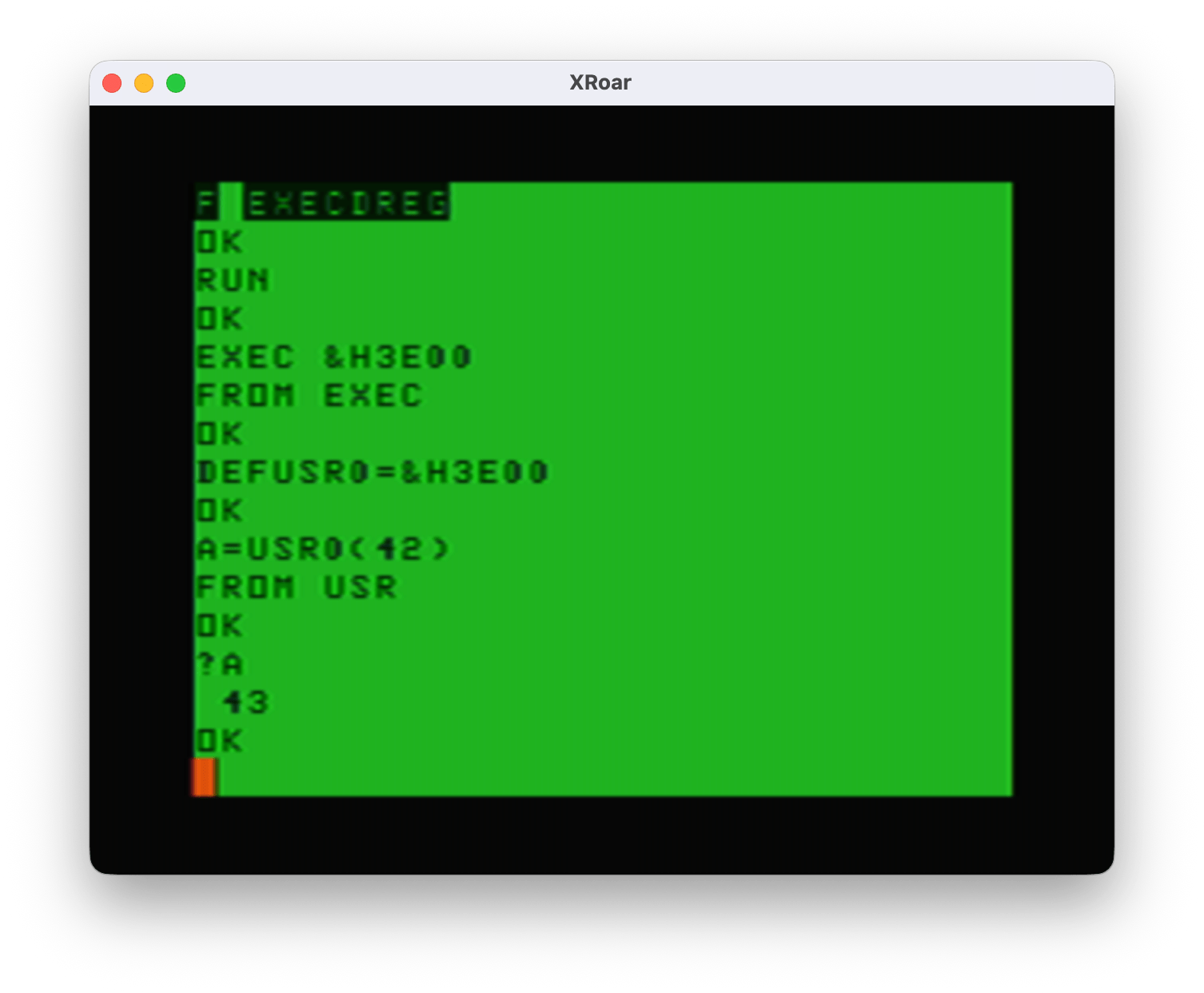
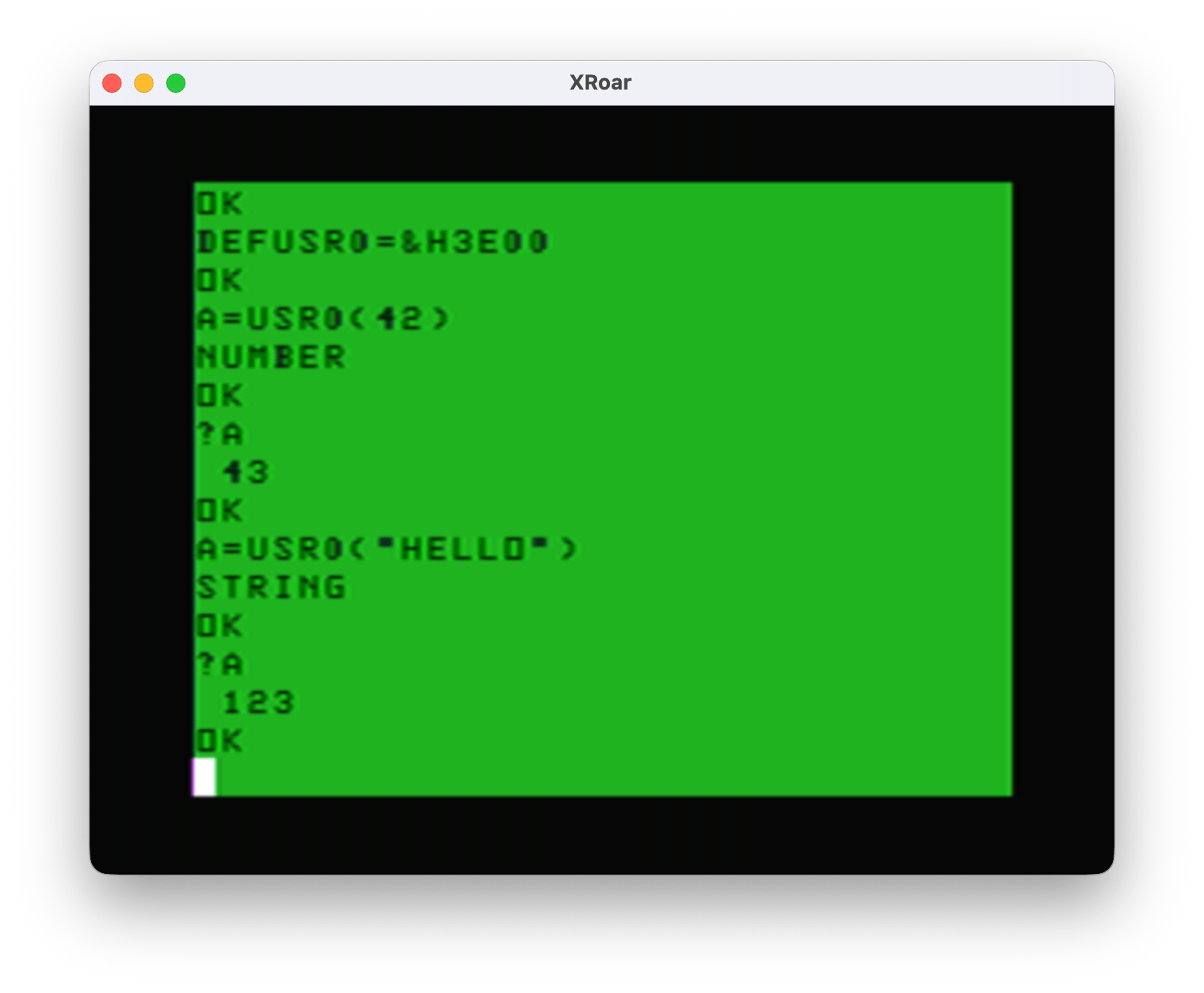
After the last post in this series, I took a detour and learned more about how the DEF USR function works in Color BASIC. I am still not confident I am doing it properly, but for now I have “working” code that lets me toggle it on/off using the EXEC command or use DEF USR and call features using a number parameter like A=USR0(x) (returning a status variable) and even passing in a string (used for remapping the cursor movement characters) like A=USR0(“ABCD”)

Every new bit of education (most of it from Sean Conner‘s website) has me repeating: “Wish I knew then what I know now.”

Today I present the current version of the program. Other than trying to clean up the assembly source code a bit, the main thing I have done is try to make the code position independent. Normally, you build code that loads at a specific address in memory and it runs from there. If you try to move that code elsewhere in memory, it fails because the code itself is hard-coded to jump to specific memory locations.

The 6809 processor supports Position Independent Code (PIC) with instructions that are “relative” — instead of “jump to memory location XYX” you can “branch to X spots lower/earlier in the code.” These relative branches mean no matter where the code is loaded in memory, they still work.

Accessing data in the code is done in similar manner. Instead of “load register A with the value at address XYZ”, it can become “load register A with the value that is X bytes lower/earlier in the code.”

Microware’s OS-9 operating system required position independent code since you could load many programs in memory at the same time, and the OS would decide where to put them. I know I used to write quite a bit of assembly code in my CoCo OS-9 days, so at one point I knew how to do this. I mean, I wrote a full Space Invaders-type game in position independent 6809 assembly code back then!

https://github.com/allenhuffman/Invaders09

Since I no longer remembered how to do it, I am having to re-learn PIC and specifically learn how to do it with code that has to used fixed memory locations when going in and out of the Color BASIC ROM code.

Therefore, proceed with caution! My code may still have spots I missed so for now let’s just load and run it at the intended memory location of &H3E00. (You can change the source code to load wherever you want, of course.)

Here is my current version:

; lwasm consmove7.asm -fbasic -oconsmove7.bas --map --list
; decb copy -2 consmove7.bin drive0.dsk,CONSMOVE.BIN

; Allow embedded characters to move the cursor in a PRINT

;USR SET 0 ; Support DEF USR. Comment out for just EXEC

ORGADDR equ $3e00 ; Where program loads in memory

;------------------------------------------------------------------------------
; Definitions
;------------------------------------------------------------------------------
UPCHAR equ 'u ; default character for up
DOWNCHAR equ 'd ; default character for down
LEFTCHAR equ 'l ; default character for left
RIGHTCHAR equ 'r ; default character for right

;------------------------------------------------------------------------------
; Absolute addresses of items in RAM variables
;------------------------------------------------------------------------------
; Direct Page
CURLIN equ $68 ; PV CURRENT LINE # OF BASIC PROGRAM, $FFFF = DIRECT
DEVNUM equ $6f ; device number being used for I/O
CURPOS equ $88 ; location of cursor position in RAM
EXECJP equ $9d ; location of jump address for EXEC
; Others
RVEC3 equ $167 ; console out RAM hook
RVEC12 equ $182 ; inputting a BASIC line
VIDRAM equ $400 ; VIDEO DISPLAY AREA

;------------------------------------------------------------------------------
; Absolute addresses of ROM calls
;------------------------------------------------------------------------------
CHROUT equ $A002
INTCNV equ $B3ED
GIVABF equ $B4F4

org ORGADDR

;------------------------------------------------------------------------------
; This code can be called by EXEC, EXEC xxxx, USRx(n) or USRx("STRING")
;------------------------------------------------------------------------------
start leay start,pcr ; Y=start
cmpx #start ; X=start? (called by "EXEC xxxx")
beq toggle ; if yes, goto toggle
cmpx #$abab ; X=ABAB? (called by "EXEC")
bne fromusr ; if no, goto fromusr
ldx <EXECJP ; else, load X with EXECJP address
cmpx #start ; X=start? (called by "EXEC xxxx")
beq toggle ; if yes, goto toggle
; else, must be USR
fromusr tsta ; compare A to 0
beq donumber ; if A=0, number passed in. goto donumber
inca ; inc A so if 255 (string) it will be 0 now
beq dostring ; if A=0 (was 255), string. goto dostring
bra unknown ; else, goto unknown (this should never happen)

;------------------------------------------------------------------------------
; Restore default up, down, left and right characters
;------------------------------------------------------------------------------
defaults lda #UPCHAR
sta up,pcr
lda #DOWNCHAR
sta down,pcr
lda #LEFTCHAR
sta left,pcr
lda #RIGHTCHAR
sta right,pcr
lbra exitsuccess ; TODO: reorganize to use just "bra"

;------------------------------------------------------------------------------
; A=USRx("STRING")
; X will be VARPTER, B will be string length
;------------------------------------------------------------------------------
dostring tstb ; B=0?
beq defaults ; if yes, goto defaults
cmpb #4 ; is B=4? (4 characters - up, down, left, right.)
bne exiterror ; if no, goto exiterror
ldy 2,x ; load Y with address of string data
ldd ,y++ ; load D with UP and DOWN characters, inc Y twice
std up,pcr ; store them at up and down
ldd ,y ; load D with LEFT and RIGHT characters
std left,pcr ; store them at left and right
bra exitsuccess ; goto exitsuccess

;------------------------------------------------------------------------------
; A=USRx(0)
; INTCNV will get the number parameter into the D register
;------------------------------------------------------------------------------
donumber jsr INTCNV ; get passed in value in D
cmpd #0 ; is D=0? USRx(0)
beq toggle ; if yes, goto toggle
cmpd #1 ; is D=1? USRx(1)
beq install ; if yes, goto install
cmpd #-1 ; is D=-1? USRx(-1)
beq uninstall ; if yes, goto uninstall

;------------------------------------------------------------------------------
; This should never happen
;------------------------------------------------------------------------------
unknown leax msgunknown,pcr ; load X with address of "unknown" message
bsr print ; call the print subroutine
bra exiterror ; goto exiterror

;------------------------------------------------------------------------------
; EXEC would start here
;------------------------------------------------------------------------------
toggle lda savedrvec3,pcr ; test if we have already installed
bne uninstall ; if not 0, then gotouninstall
; else fall through to install
install lda savedrvec3,pcr ; test if we have already installed
bne installed ; if not 0, already installed

; Hijack the CONOUT routine
lda RVEC3 ; get RAM hook op code
sta savedrvec3,pcr ; save it
ldx RVEC3+1 ; get RAM hook address
stx savedrvec3+1,pcr ; save it

lda #$7e ; op code for JMP
sta RVEC3 ; store it in RAM hook
leax newrvec3,pcr ; address of new code
stx RVEC3+1 ; store it in RAM hook

; Hijack the LINE INPUT routine
lda RVEC12 ; get RAM hook op code
sta savedrvec12,pcr ; save it
ldx RVEC12+1 ; get RAM hook address
stx savedrvec12+1,pcr ; save it

lda #$7e ; op code for JMP
sta RVEC12 ; store it in RAM hook
leax newrvec12,pcr ; address of new code
stx RVEC12+1 ; store it in RAM hook

installed leax msginstalled,pcr ; load X with address of "installed" message
bsr print ; call the print subroutine
bra exitsuccess ; goto exitsuccess

;------------------------------------------------------------------------------

exiterror ldd #-1 ; return -1 as an error code
bra return ; goto return
exitsuccess ldd #0 ; return 0 as an error code
return jmp GIVABF ; return value back to USRx()

;------------------------------------------------------------------------------
; PRINT subroutine. Prints the 0-terminated string pointed to by X plus CR
;------------------------------------------------------------------------------
print lda ,x+
beq printdone
jsr [CHROUT]
bra print
printdone lda #13
jmp [CHROUT] ; JMP CHROUT will do an rts.
;rts

;------------------------------------------------------------------------------
; Uninstall hooks and restore original ones
;------------------------------------------------------------------------------
uninstall lda savedrvec3,pcr ; get saved RAM hook op code
beq uninstalled ; if zero, already uninstalled
sta RVEC3 ; restore RAM hook op code
ldx savedrvec3+1,pcr ; get saved RAM hook address
stx RVEC3+1 ; restore RAM hook address

lda savedrvec12,pcr ; get saved RAM hook op code
sta RVEC12 ; restore RAM hook op code
ldx savedrvec12+1,pcr ; get saved RAM hook address
stx RVEC12+1 ; restore RAM hook address

clr savedrvec3,pcr ; zero out to mark unused

uninstalled leax msguninstalled,pcr
bsr print
bra exitsuccess

;------------------------------------------------------------------------------
; Data storage for the string messages
;------------------------------------------------------------------------------
msginstalled fcc "ON"
fcb 0

msguninstalled fcc "OFF"
fcb 0

msgunknown fcc "UNK"
fcb 0

;------------------------------------------------------------------------------
; Do this only if DEVNUM is 0 (console)
;------------------------------------------------------------------------------
newrvec3 tst <DEVNUM ; is DEVNUM 0?
bne savedrvec3 ; not device #0 (console)

; Do this only if NOT in Direct mode
pshs a ; save A
lda CURLIN ; GET CURRENT LINE NUMBER (CURLIN)
inca ; TEST FOR DIRECT MODE
puls a ; restore A
beq savedrvec3 ; if 0, in direct mode

leas 2,s ; remove PC from stack since we won't
; return there

; Now this is the start of what Color BASIC ROM does for PUTCHR:
; PUT A CHARACTER ON THE SCREEN
;LA30A
PSHS X,B,A ; SAVE REGISTERS
LDX CURPOS ; POINT X TO CURRENT CHARACTER POSITION

;checkup
cmpa up,pcr ; is it the up character?
bne checkdown ; if no, goto checkdown
cmpx #VIDRAM+32 ; compare X to start of second line
blt cantmove ; if less than, goto cantmove
leax -32,x ; move up one line
bra cursormoved ; goto checksdone

checkdown cmpa down,pcr ; is it the down character?
bne checkleft ; if no, goto checkleft
cmpx #VIDRAM+512-32 ; compare X to start of bottom line
bge cantmove ; if greater or equal, goto cantmove
leax 32,X ; move down one line
bra cursormoved ; goto checksdone

checkleft cmpa left,pcr ; is it the left character?
bne checkright ; if no, goto checkright
cmpx #VIDRAM ; top left of screen?
beq cantmove ; if yes, goto cantmove
leax -1,X ; move left one character
bra cursormoved ; goto checksdone

checkright cmpa right,pcr ; is it the right character?
bne goLA30E ; if no, goto goLA30E
cmpx #VIDRAM+511 ; is it bottom right of screen?
beq cantmove ; if yes, goto cantmove
leax 1,x ; increment X, skipping that location
bra cursormoved ; goto checksdone

; This is the next instruction after PSHS X,B,A / LDX CURPOS in the ROM.
goLA30E jmp $A30E ; jump back into Color BASIC ROM code

; This is the STX CURPOS / check for scroll routine in the ROM.
cursormoved jmp $A344 ; jump back into Color BASIC ROM code.

; This is the PULS A,B,X,PC at the end of this routine in the ROM.
cantmove jmp $A35D ; jump back into Color BASIC ROM code

savedrvec3 fcb 0 ; call regular RAM hook
fcb 0
fcb 0
rts ; just in case..

;------------------------------------------------------------------------------
; William Astle: "RVEC12 would be right. You can clobber X in this case. You
; would check 2,s to see if it's $AC7F. If it is, you just set CURLIN to $FFFF
; This works around the unfortunate ordering of the instructions in the
; immediate mode loop."
;------------------------------------------------------------------------------
newrvec12 ldx 2,s ; load X with address we were called from
cmpx #$ac7f ; compare X to $AC7F
bne savedrvec12 ; if not that, goto savedrvec12 to return
ldx #$ffff ; else, load X with $ffff (directo mode)
stx <CURLIN ; update CURLINE

savedrvec12 fcb 0 ; call regular RAM hook
fcb 0
fcb 0
rts ; just in case..

;------------------------------------------------------------------------------
; Placed at the end of the program memory for easy patching in the BASIC
; loader DATA statements
;------------------------------------------------------------------------------
up fcb UPCHAR
down fcb DOWNCHAR
left fcb LEFTCHAR
right fcb RIGHTCHAR

end

I compiled it using the lwasm assembler written by William Astle. It can generate a BASIC loader program, which is what this is:

0 'CONSMOVE7
5 CLEAR 200,&3E00
10 READ A,B
20 IF A=-1 THEN 70
30 FOR C = A TO B
40 READ D:POKE C,D
50 NEXT C
60 GOTO 10
70 END
80 DATA 15872,16246,49,141,255,252,140,62,0,39,100,140,171,171,38,7,158,157,140,62,0,39,88,77,39,56,76,39,29,32,72,134,117,167,141,1,80,134,100,167,141,1,75,134,108,167,141,1,70,134,114,167,141,1,65,22,0,130,93,39,226,193,4,38,118,16,174,2,236
90 DATA 161,237,141,1,43,236,164,237,141,1,39,32,106,189,179,237,16,131,0,0,39,20,16,131,0,1,39,20,16,131,255,255,39,107,48,141,0,152,141,85,32,72,166,141,0,238,38,93,166,141,0,232,38,52,182,1,103,167,141,0,223,190,1,104,175,141,0,217,134,126
100 DATA 183,1,103,48,141,0,117,191,1,104,182,1,130,167,141,0,213,190,1,131,175,141,0,207,134,126,183,1,130,48,141,0,185,191,1,131,48,141,0,73,141,13,32,5,204,255,255,32,3,204,0,0,126,180,244,166,128,39,6,173,159,160,2,32,246,134,13,110,159,160
110 DATA 2,166,141,0,139,39,28,183,1,103,174,141,0,131,191,1,104,166,141,0,139,183,1,130,174,141,0,133,191,1,131,111,141,0,109,48,141,0,7,141,200,32,192,79,78,0,79,70,70,0,85,78,75,0,13,111,38,86,52,2,150,104,76,53,2,39,77,50,98,52,22,158,136
120 DATA 161,141,0,87,38,10,140,4,32,45,57,48,136,224,32,49,161,141,0,72,38,10,140,5,224,44,41,48,136,32,32,33,161,141,0,57,38,9,140,4,0,39,25,48,31,32,18,161,141,0,43,38,9,140,5,255,39,10,48,1,32,3,126,163,14,126,163,68,126,163,93,0,0,0,57,174
130 DATA 98,140,172,127,38,5,142,255,255,159,104,0,0,0,57,117,100,108,114,-1,-1

You can RUN this on a CoCo or CoCo emulator to get the code loaded into memory, Then, you have two ways you can use it:

The EXEC method

Once in memory (be sure to CLEAR 200,&H3E00 to keep BASIC from overwriting this memory), you can start it by typing:

EXEC

You will see it print the word “ON” indicating that it has installed the patch. If you was to deinstall it, type EXEC again, and you will see “OFF”. Using EXEC, this is all the control you have – on or off.

The characters that move the cursor default to the lowercase letters “u” (up), “d” (down), “l” (left) and “r” (right). If you want to change them, they are the last for (non negative) numbers in the DATA statements:

120 DATA 161,141,0,87,38,10,140,4,32,45,57,48,136,224,32,49,161,141,0,72,38,10,140,5,224,44,41,48,136,32,32,33,161,141,0,57,38,9,140,4,0,39,25,48,31,32,18,161,141,0,43,38,9,140,5,255,39,10,48,1,32,3,126,163,14,126,163,68,126,163,93,0,0,0,57,174
130 DATA 98,140,172,127,38,5,142,255,255,159,104,0,0,0,57,117,100,108,114,-1,-1

The numbers 117, 100, 108 and 114 are the ASCII characters for lowercase “u”, “d”, “l” and “r”. You can change them, then RUN the program and it will use the four letters you want to move the cursor.

Now, once it is installed, any PRINT done from the program (not from direct mode) will move the cursor when it sees one of those letters. Type in:

10 CLS 0
20 PRINT@200,"XXXXdllllXrrXdllllXXXX";
30 GOTO 30

…and you will see a box made of “X” characters, with the center still showing the CLS background color. Neat.

For more control, there is another way to use this…

The DEF USR method

You can add this routine as a USRx() function by typing:

DEF USR0=&H300

Now you can toggle it ON/OFF (same as typing EXEC) by doing:

A=USR0(0)

Each time you do that you will see “ON” or “OFF” printed to the screen, indicating the status.

If you want to install it rather than toggle, pass in a 1:

A=USR0(1)

That will always print “ON”. It checks and if it was already installed, it just skips re-installing and prints ON.

To disable it, use -1:

A=USR0(-1)

And, if you want to customize the four characters used to move the cursor, you can pass in a four character string. If you wanted it to use uppercase letters, you could type:

A=USR0(“UDLR”)

A will come back with 0 if it worked, or -1 if it did not. If you do not pass in all four characters, you will be a -1 error value back.

And, if you want to restore back to the defaults of lowercase “udlr”, pass in the empty string:

A=USR0(“”)

What I need from you

What I need from you: Code inspection. Ideally, I want to provide this as a fully position independent program so it can be loaded anywhere in memory. Rather than give a 16K and 32K version that load at different addresses, I just want to provide one and the user can load it in memory wherever they want.

Also, if you see issues with how I am interfacing with the BASIC ROM, please let me know. I have only lightly tested this and “it seems to work for me.” Which is not at all testing ;-)

The smaller version.

As a bonus, here is a smaller version with all the USR stuff removed. If you just wanted to play with this and didn’t care about the extra features, start with this one. This one is less than 255 bytes, so I moved the start address up to $3F00 for a 16K system or you could have it at $7F00 for a 32K system.

; lwasm consmove7-exec.asm -fbasic -oconsmove7-exec.bas --map --list
; decb copy -2 consmove7-exec.bin drive0.dsk,CONSMVEX.BIN

; Allow embedded characters to move the cursor in a PRINT
; This is the small version that only supports EXEC.

; Smaller, so it can load at $3f00 (16K) or $7f00 (32K).
ORGADDR equ $3f00 ; Where program loads in memory

;------------------------------------------------------------------------------
; Definitions
;------------------------------------------------------------------------------
UPCHAR equ 'u ; default character for up
DOWNCHAR equ 'd ; default character for down
LEFTCHAR equ 'l ; default character for left
RIGHTCHAR equ 'r ; default character for right

;------------------------------------------------------------------------------
; Absolute addresses of items in RAM variables
;------------------------------------------------------------------------------
; Direct Page
CURLIN equ $68 ; PV CURRENT LINE # OF BASIC PROGRAM, $FFFF = DIRECT
DEVNUM equ $6f ; device number being used for I/O
CURPOS equ $88 ; location of cursor position in RAM
; Others
RVEC3 equ $167 ; console out RAM hook
RVEC12 equ $182 ; inputting a BASIC line
VIDRAM equ $400 ; VIDEO DISPLAY AREA

org ORGADDR

;------------------------------------------------------------------------------
; This code can be called by EXEC
;------------------------------------------------------------------------------
start

;------------------------------------------------------------------------------
; EXEC would start here
;------------------------------------------------------------------------------
toggle lda savedrvec3,pcr ; test if we have already installed
bne uninstall ; if not 0, then gotouninstall
; else fall through to install
install lda savedrvec3,pcr ; test if we have already installed
bne installed ; if not 0, already installed

; Hijack the CONOUT routine
lda RVEC3 ; get RAM hook op code
sta savedrvec3,pcr ; save it
ldx RVEC3+1 ; get RAM hook address
stx savedrvec3+1,pcr ; save it

lda #$7e ; op code for JMP
sta RVEC3 ; store it in RAM hook
leax newrvec3,pcr ; address of new code
stx RVEC3+1 ; store it in RAM hook

; Hijack the LINE INPUT routine
lda RVEC12 ; get RAM hook op code
sta savedrvec12,pcr ; save it
ldx RVEC12+1 ; get RAM hook address
stx savedrvec12+1,pcr ; save it

lda #$7e ; op code for JMP
sta RVEC12 ; store it in RAM hook
leax newrvec12,pcr ; address of new code
stx RVEC12+1 ; store it in RAM hook

installed rts

;------------------------------------------------------------------------------
; Uninstall hooks and restore original ones
;------------------------------------------------------------------------------
uninstall lda savedrvec3,pcr ; get saved RAM hook op code
beq uninstalled ; if zero, already uninstalled
sta RVEC3 ; restore RAM hook op code
ldx savedrvec3+1,pcr ; get saved RAM hook address
stx RVEC3+1 ; restore RAM hook address

lda savedrvec12,pcr ; get saved RAM hook op code
sta RVEC12 ; restore RAM hook op code
ldx savedrvec12+1,pcr ; get saved RAM hook address
stx RVEC12+1 ; restore RAM hook address

clr savedrvec3,pcr ; zero out to mark unused

uninstalled rts

;------------------------------------------------------------------------------
; Do this only if DEVNUM is 0 (console)
;------------------------------------------------------------------------------
newrvec3 tst <DEVNUM ; is DEVNUM 0?
bne savedrvec3 ; not device #0 (console)

; Do this only if NOT in Direct mode
pshs a ; save A
lda CURLIN ; GET CURRENT LINE NUMBER (CURLIN)
inca ; TEST FOR DIRECT MODE
puls a ; restore A
beq savedrvec3 ; if 0, in direct mode

leas 2,s ; remove PC from stack since we won't
; return there

; Now this is the start of what Color BASIC ROM does for PUTCHR:
; PUT A CHARACTER ON THE SCREEN
;LA30A
PSHS X,B,A ; SAVE REGISTERS
LDX CURPOS ; POINT X TO CURRENT CHARACTER POSITION

;checkup
cmpa up,pcr ; is it the up character?
bne checkdown ; if no, goto checkdown
cmpx #VIDRAM+32 ; compare X to start of second line
blt cantmove ; if less than, goto cantmove
leax -32,x ; move up one line
bra cursormoved ; goto checksdone

checkdown cmpa down,pcr ; is it the down character?
bne checkleft ; if no, goto checkleft
cmpx #VIDRAM+512-32 ; compare X to start of bottom line
bge cantmove ; if greater or equal, goto cantmove
leax 32,X ; move down one line
bra cursormoved ; goto checksdone

checkleft cmpa left,pcr ; is it the left character?
bne checkright ; if no, goto checkright
cmpx #VIDRAM ; top left of screen?
beq cantmove ; if yes, goto cantmove
leax -1,X ; move left one character
bra cursormoved ; goto checksdone

checkright cmpa right,pcr ; is it the right character?
bne goLA30E ; if no, goto goLA30E
cmpx #VIDRAM+511 ; is it bottom right of screen?
beq cantmove ; if yes, goto cantmove
leax 1,x ; increment X, skipping that location
bra cursormoved ; goto checksdone

; This is the next instruction after PSHS X,B,A / LDX CURPOS in the ROM.
goLA30E jmp $A30E ; jump back into Color BASIC ROM code

; This is the STX CURPOS / check for scroll routine in the ROM.
cursormoved jmp $A344 ; jump back into Color BASIC ROM code.

; This is the PULS A,B,X,PC at the end of this routine in the ROM.
cantmove jmp $A35D ; jump back into Color BASIC ROM code

savedrvec3 fcb 0 ; call regular RAM hook
fcb 0
fcb 0
;rts ; just in case..

;------------------------------------------------------------------------------
; William Astle: "RVEC12 would be right. You can clobber X in this case. You
; would check 2,s to see if it's $AC7F. If it is, you just set CURLIN to $FFFF
; This works around the unfortunate ordering of the instructions in the
; immediate mode loop."
;------------------------------------------------------------------------------
newrvec12 ldx 2,s ; load X with address we were called from
cmpx #$ac7f ; compare X to $AC7F
bne savedrvec12 ; if not that, goto savedrvec12 to return
ldx #$ffff ; else, load X with $ffff (directo mode)
stx <CURLIN ; update CURLINE

savedrvec12 fcb 0 ; call regular RAM hook
fcb 0
fcb 0
;rts ; just in case..

;------------------------------------------------------------------------------
; Placed at the end of the program memory for easy patching in the BASIC
; loader DATA statements
;------------------------------------------------------------------------------
up fcb UPCHAR
down fcb DOWNCHAR
left fcb LEFTCHAR
right fcb RIGHTCHAR

end

And here is a BASIC loader for that version:

0 'CONSMVEX.BAS
5 CLEAR 200,&H3F00
10 READ A,B
20 IF A=-1 THEN 70
30 FOR C = A TO B
40 READ D:POKE C,D
50 NEXT C
60 GOTO 10
70 END
80 DATA 16128,16339,166,141,0,186,38,59,166,141,0,180,38,52,182,1,103,167,141,0,171,190,1,104,175,141,0,165,134,126,183,1,103,48,141,0,65,191,1,104,182,1,130,167,141,0,160,190,1,131,175,141,0,154,134,126,183,1,130,48,141,0,132,191,1,131,57,166
90 DATA 141,0,121,39,28,183,1,103,174,141,0,113,191,1,104,166,141,0,120,183,1,130,174,141,0,114,191,1,131,111,141,0,91,57,13,111,38,86,52,2,150,104,76,53,2,39,77,50,98,52,22,158,136,161,141,0,85,38,10,140,4,32,45,57,48,136,224,32,49,161,141,0
100 DATA 70,38,10,140,5,224,44,41,48,136,32,32,33,161,141,0,55,38,9,140,4,0,39,25,48,31,32,18,161,141,0,41,38,9,140,5,255,39,10,48,1,32,3,126,163,14,126,163,68,126,163,93,0,0,0,174,98,140,172,127,38,5,142,255,255,159,104,0,0,0,117,100,108,114
110 DATA -1,-1

Until next time…

Dissecting my MiniBanners program – part 1

See Also: part 1 (with more parts to come).

This series of blog posts will discuss my CoCo program, MiniBanners. It will discuss the things that changed between versions, and dissect the code to explore how it worked. The code referenced in this blog post can be found in my new SubEthaSoftware repository on GitHub:

https://github.com/allenhuffman/SubEthaSoftware/tree/main

Part 1 – Origin and versions

MiniBanners is a banner printing program I wrote and sold through Sub-Etha Software. It made its debut at the 1990 Atlanta CoCoFest. It was written in BASIC and ran on a Color Computer 3 using the 40 column text screen. It “required” a CoCo 3 only because I was making use of CoCo 3 fonts that could be LOADM’d and used on the graphics screens with the HPRINT command.

Unlike most (all?) commercial banner programs of the era, MiniBanners did not require a graphics printer. It would work on small printers like the Radio Shack TP-10 (32 columns) or wider ones (132 columns). It would use any ASCII character to make the banners with. Some printers had a black graphics block they could print (Tandy printers, TP-10, etc.), so it could use that. For non-dot matrix printers, it could use an ASCII “X” or “#” or whatever character the user wanted. This let it print to basically any printer – dot matrix, thermal and even daisy wheel. (Remember those?)

Another feature was the ability to print multi-line banners. You could specify the height of each line and either print a one-line banner using the full 80 column width of a printer, or make it four lines with each line of text being 20 characters tall.

I would even switch printer ribbons and print “multi color” banners, but that was not anything that the program directly helped with. Here is a photo of some of the banners we used at a CoCoFest (except for the top one; I think that was done on an Apple 2 using PrintShop or whatever they had back then).

While our initial lineup of programs were all for Disk BASIC (RS-DOS as we called it back then), so many people at the CoCoFest told us “I’d buy it if it ran under OS-9” that it was soon ported over to BASIC09 as an OS-9 program. If I can find versions of that code, I’ll include it in this series in a later installment.

It all began as a one (or two) liner…

I recall finding a free BASIC banner printing program that had an awful font. I wanted to modify it to make the letters it printed look better. I decided to use the font data that was part of the CoCo 3 ROM. This data starts in memory at &HF09D. Here is a snippet from the disassembly:

* SPECIAL CHARACTERS AND NUMBERS
SF09D FCB $00,$00,$00,$00,$00,$00 BLANK
FCB $00,$00
FCB $10,$10,$10,$10,$10,$00 !
FCB $10,$00
FCB $28,$28,$28,$00,$00,$00 "
FCB $00,$00
FCB $28,$28,$7C,$28,$7C,$28 #
FCB $28,$00
FCB $10,$3C,$50,$38,$14,$78 $
FCB $10,$00

Rather than rebuild the DATA in the program I was playing with, I decided to just write my own. I quickly had a simple program that would input a line and then print out a banner using this font data. If I recall, I had the whole program fitting in one or two lines.

I had planned to submit it to Rainbow magazine for their “one/two liner” thing they printed in each issue, but I do not recall actually doing that.

It was this simple program inspired me to create a larger program with more features (such as multi-line banners). MiniBanners became Sub-Etha Software’s third product (after ShadowBBS and MultiBasic, both written by cofounder Terry Todd).

It pretended to be in assembly…

I knew most folks would not buy a program written in BASIC. Ads of the time would exlaim “100% machine language.” Because of this, I decided to disguise that MiniBanners was in BASIC by turning it into a “.BIN” file you had to LOADM and EXEC to run, rather than LOAD and RUN to run like a BASIC program.

In case anyone got suspicious and took a disk editor to my .BIN program, I also “scrambled” the contents so they would not look obviously like a BASIC program. You wouldn’t be able to see the standard patterns for line numbers, strings, etc.

I did this by using a short assembly language routine I called SCRAM.ASM. It would take the BASIC program in memory, then “scramble” it by inverting the bits in each byte using the COM op code. That data was then added to an assembly loader routine that would descramble it and set it up to run like a normal BASIC. The end result was you would LOADM”MINIBAN.BIN”:EXEC and have a program running as if it were a machine language program.

In a later installment, I plan to explore that assembly code and try to re-learn how it worked.

For now, let’s discuss the different versions of the RS-DOS BASIC version of MiniBanners.

Version 0.0 – 9/20/1990

According to comments in the code, work began on MiniBanners on September 20, 1990. The goal was to have it ready for the first Atlanta CoCoFest which would be held about two weeks later on the weekend of October 6-7, 1990. The whole program was created in about ten days, including writing the code and manual, and having the manual printed and getting master disks copied (with serial numbers) and labeled for sale at the Fest.

Since this program only came to exist after we had submitted our booth information for the CoCoFest show guide, our entry there has no mention of MiniBanners:

Our entry in the 1990 Atlanta CoCoFest show guide.

Version 1.0 – 10/1990

This was the initial release version sold at that CoCoFest. It ran only on a 40 column screen.

Version 1.1 – 10/1990

This version added support for 80 columns with a new menu option of “W” to toggle between 40 and 80.

It also made specifying the baud rate easier. The user could now just type in 600, 1200, etc. and it would be calculated. In version 1.0, you had to know the POKE value for the desired baud rate. Examples offered in v1.0 were 180 for 600 baud, 88 for 1200 baud, and 41 for 2400 baud. In 1.1, you could just enter 1200 or 2400 and a routine would figure out the POKE value.

I have no idea where I got this from, but I know I didn’t come up with it ;-)

875 REM * Baud Rate Routine
880 POKE150,INT(.2175+5.7825*2^(5-(LOG(BD/600)/LOG(2)))-4.5):RETURN

It also appears the “instant showing screen” trick was not used in version 1.0, as I find routines in 1.1 that set the text palette to the background color. Then, in the GOSUB routine that does input, it sets it back to white. Clever.

50 REM * Main Menu
55 PALETTE8,BG:CLS:PRINTTAB(TB+9)"/) MiniBanners! "VR$" (\":ATTR1,1:PRINT:ATTR0,0:LOCATE0,22:ATTR1,1:PRINT:ATTR0,0:PRINTTAB(TB+13)"Enter Function";
60 LOCATETB+11,6:PRINT"[1] Print a Banner":PRINT:PRINTTAB(TB+11)"[2] Select Font ("FT$")":PRINT:PRINTTAB(TB+11)"[3] Configuration"
65 LOCATETB+11,17:PRINT"[W] Toggle 40/80":LOCATETB+11,19:PRINT"[X] Exit to Basic"
70 LOCATETB+15,3:PRINT"[D]rive:"DR:DRIVEDR
75 GOSUB1055:A=INSTR("123DWX",A$):IFA=0THENSOUND200,1:GOTO75
...
1050 REM * Inkey$
1055 PALETTE8,FG
1060 A$=INKEY$:IFA$=""THEN1060ELSESOUND1,1:LT=ASC(A$):IFLT>96THENA$=CHR$(LT-32)
1065 RETURN

There are also some new POKEs added when setting up the screen:

PALETTE1,FG:PALETTE9,BG:POKE63395,9:POKE63468,9:POKE63503,0:POKE63567,0:POKE63644,0:POKE63771,0

Let’s see if we can figure out what they do. Consulting Super Color BASIC Unravelled should help, or the source code listing at the toolshed repository on GitHub:

https://github.com/n6il/toolshed/blob/master/cocoroms/coco3.asm

First, let’s convert those decimal values into HEX so we can find them in the assembly listing.

POKE63395,9 - F7A3
POKE63468,9 - F7EC
POKE63503,0 - F80F
POKE63567,0 - F84F
POKE63644,0 - F89C
POKE63771,0 - F91B

At the time I was writing MiniBanners, my Sub-Etha Software co-founder, Terry, was deep into patching BASIC for his MultiBasic product. He had picked up copies of the Unravelled series and would tell me neat POKEs to try. I expect he provided me with these POKEs because, at the time, I had no idea how the BASIC ROMs worked beyond using a few documented ROM calls in small assembly routines I wrote.

POKE63395,9 – F7A3 takes me to this bit in the source code:

SF79F	LDA	>H.CRSATT	GET THE CURSOR ATTRIBUTES RAM IMAGE
ORA #$40 FORCE THE UNDERLINE ATTRIBUTE

I expect this location is changing the #$40 from an underline to a 9. The original code was setting bits. $40 would be 01000000. 9 would be 00001001. Since these deal with the cursor attributes, I guess we need to figure out what those 8 bits do. The Unravelled book explains this on page 8:

Bit 7 BLINK 1=Character blinks
Bit 6 UNDLN 1=Character is underlined
Bit 5 FGND2 Foreground Color (MSB)
Bit 4 FGND1 Foreground Color
Bit 3 FGND0 Foreground Color (LSB)
Bit 2 BGND2 Background Color (MSB)
Bit 1 BGND1 Background Color
Bit 0 BGND0 Background Color (LSB)
Figure 4 - Attribute byte

The original code was setting bit 6, the underline bit. That make the BASIC cursor be an underline. But the new code is setting bits 0 and 3 which are setting the foreground color to 100 (4) and background to 100 (4). Or maybe that is reversed (since I see MSB/LSB) and they are both being set to 1. Maybe someone can explain it, but I think this is just setting it to a solid color block.

POKE63468,9 – F7EC looks to be the same attribute, but this time involved when printing a backspace.

* DO A HI-RES BACKSPACE HERE
SF7E2 PSHS B,A
LDA #SPACE SPACE CHARACTER
LDB >H.CRSATT GET THE ATTRIBUTES RAM IMAGE
STD ,X SAVE A SPACE ON THE SCREEN AT THE OLD CURSOR POSITION
ORB #$40 FORCE THE UNDERLINE ATTRIBUTE

POKE63503,0 – F80F is also related to the cursor attribute:

SF807	PSHS	B,A
LDA #$20 GET THE CURSOR CHARACTER
LDB >H.CRSATT GET THE CURSOR ATTRIBUTES RAM IMAGE
ORB #$40 FORCE THE UNDERLINE ATTRIBUTE

POKE63567,0 – F84F is just a bit further down, same thing:

	LDB	>H.CRSATT	ACCB ALREADY CONTAINS THIS VALUE
ORB #$40 FORCE THE UNDERLINE ATTRIBUTE

POKE63644,0 – F89C is likely this, again:

	LDB	>H.CRSATT	GET THE CURSOR ATTRIBUTES RAM IMAGE
ORB #$40 FORCE THE UNDERLINE ATTRIBUTE

POKE63771,0 – F91B is this a bit further down:

	LDA	>H.CRSATT	GET THE CURSOR ATTRIBUTES RAM IMAGE
ORA #$40 FORCE UNDERLINE ATTRIBUTE

I therefore conclude that these POKEs are just changing the cursor from an underline (which screams “I am a BASIC program!”) to a solid block. Running these POKEs on a CoCo 3 emulator confirms. Thanks, Terry!

I find a POKE 282,0 added, which is done before calling a line input routine. That address is:

CASFLG RMB 1 UPPER CASE/LOWER CASE FLAG: $FF=UPPER, 0=LOWER

It appears to change the input to lowercase before the user types in the line to be printed. I suppose this saved the user from having to SHIFT-0 before entering their message.

Another line was added, which checks to see if the printer is ready. If the printer is ready, it just goes on and prints. If it is not, it displays the “Ready Printer or Press [X]” message. Nice.

156 IF(PEEK(&HFF22)AND1)>0THENLOCATETB+6,23:ATTR1,1,B:PRINT" Ready Printer or Press [X]";:ATTR0,0:GOSUB1055:IFA$="X"THEN55ELSE156

There is an error handling routine which got updated with the wording changed from “eliminate” to “exterminate” for some reason. Maybe I thought “exterminate” was more clever for a bug?

735 LOCATETB+6,4:PRINT"[ Error"ERNO"reported at"ERLIN"]":PRINT:PRINTTAB(TB)" Honestly, I thought I had it bug-free!":PRINT:PRINTTAB(TB)"   If this was something other than a":PRINTTAB(TB)"   Disk Full or I/O Error, please let"
736 PRINTTAB(TB)" us know so we may exterminate it."

I also find a few bug fixes. MiniBanners ran in the “double speed” mode using POKE 65497,0. This would mess up disk I/O unless you switched back to low speed with POKE 65496,0 before doing it. I found I had added the slow/fast POKEs in some places that had been missing it, such as this line which loaded a font:

765 A$=FT$:EX$="FNT":GOSUB840:IFA=0THENRETURNELSEPOKE65496,0:LOADMA$+"."+EX$:POKE65497,0

It also looks like I added a “are you sure” confirmation when you exited the program:

95 LOCATETB+5,23:PRINT"Exit Banners? [Y]es or [N]o :";:GOSUB1055:IFA$<>"Y"THEN55

There may have been some other things I missed, but those were the main ones that I noticed.

Version 1.2 – 4/11/1991

This update had the note “fix reset when exiting” but I find nothing in the code that changed from 1.1 other than the version (“1.2”) and the year (“1991”). I may be missing the actual fixed version, and now I wonder what the problem was when exiting. The exit code looks like:

95 LOCATETB+5,23:PRINT"Exit Banners? [Y]es or [N]o :";:GOSUB1055:IFA$<>"Y"THEN55
96 CLS:PRINTTAB(TB+4)"Thank You for using MiniBanners!":ATTR1,1:PRINT:ATTR0,0:PRINT
97 POKE65496,0:POKE150,18:POKE282,255:POKE63395,64:POKE63468,64:POKE63503,64:POKE63567,64:POKE63644,64:POKE63771,64:NEW

It has the “are you sure” confirmation added in 1.1, then I see it POKEs back to slow speed, POKEs to reset the printer baud rate, and POKEs to restore the cursor before erasing the program using NEW. I expect somewhere in the program I did something else that I forgot to restore, and that is what 1.2 was supposed to address. Maybe I will find another copy of this file somewhere in my archives. If so, I’ll update this post at that time.

Looking at this now, I probably should have just reset the machine, or added something to erase the program from memory. After existing this way, someone could have done two POKEs to change the end location of BASIC in memory and recovered the program and had the source code ;-)

Up next … dissecting the code.

Until then…

Interfacing assembly with BASIC via DEFUSR, part 7

See also: part 1, part 2, part 3, part 4, part 5, part 6, part 7 and part 8.

UPDATE: After I wrote this up, Sean Conner replied on the CoCo mailing list about his extensive website article diving into how all the DEF USR stuff works. If you really want to know how this works, you should read his writeup. Unlike me, he actually seems to understand it! I am just playing around trying to make stuff work: https://boston.conman.org/2024/11/26.2-3

Also, he has summarized some things I missed (in this article) in a post so I will have to do a Part 8 to this article and tie everything together. Kudos to Sean Conner for figuring all this out and sharing it with all of us! Wish I had remembered he was the one who did this before I wrote all this up. BUT, I had fun, and I learned (including stuff that is wrong). To be continued…


Meanwhile, back in 2017 (!) I shared some posts about how to use DEF USR to call assembly language routines from Color BASIC. Today I present something new I learned, mostly thanks to folks like William “Lost Wizard” Astle pointing me in useful directions.

First, here is a refresher on calling assembly language from BASIC.

Method 1 – EXEC

You can load (or POKE) some assembly into memory at some address and run that code using the EXEC command. Even CoCo folks who don’t program assembly probably have used the EXEC command. It is used to start a machine language program you loaded from tape (using CLOADM) or disk (using LOADM). Those load commands set the EXEC address to be wherever the program loaded to run so you just type “EXEC” and go.

You can also specific a memory location after the EXEC command, such as “EXEC 40999”. That will execute whatever code is in memory at 40999. You may recognize that one, since 40999 is the address of the “reset” routine in Color BASIC. Typing “EXEC 40999” is like hitting the hardware RESET button on the back of the CoCo.

But I digress.

You could create a set of assembly routines that start at different locations in memory, then run those routines using EXEC and the address of the routine. This is cumbersome, since you have to know where each routine starts. For example, here are some stupid routines that change the screen color to red, green, or blue:

* lwasm cls.asm -fbasic -ocls.bas --map

* Test of EXEC

ORGADDR equ $3f00

VIDRAM equ $400 VIDEO DISPLAY AREA

org ORGADDR

clsred
lda #191 * Red block.
bsr clear
rts

clsgreen
lda #223 * Green block.
bsr clear
rts

clsblue
lda #175 * Blue block
bsr clear
rts

clear
ldx #VIDRAM * Top left of 32 column screen.
loop
sta ,x+ * Store at X and increment X.
cmpx #VIDRAM+512 * Compare X to bottom right of screen
bne loop
rts

end

This cheesy program has three routines at the start – clsred, clsgreen and clsblue. If I compile this and load it into memory, I could then EXEC the startling location of each of those routines to see the screen clear to those colors. But how do I know where they start?

One way is to use an assembler that tells you. I am using the Lost Wizard lwasm assembler. It has an option that shows the locations of stuff in the program. When I build, it shows me this output:

allenh@Mac asm % lwasm cls.asm -fbasic -ocls.bas --map
Symbol: clear (cls.bas) = 3F0F
Symbol: clsblue (cls.bas) = 3F0A
Symbol: clsgreen (cls.bas) = 3F05
Symbol: clsred (cls.bas) = 3F00
Symbol: loop (cls.bas) = 3F12
Symbol: ORGADDR (cls.bas) = 3F00
Symbol: VIDRAM (cls.bas) = 0400

This tells me I can EXEC &H3F00 to run the clsred code, EXEC &H3F05 to run clsgreen, and EXEC &H3F0A to run clsblue. To test, I use the compile option that generates a BASIC program that loads the code into memory using POKE commands. I built it and then loaded that .bas into the XRoar emulator to try it out, and it works. I’d show a screen shot, but since it clears the screen when I run it, it wouldn’t really show anything useful.

But the problem is any changes to the routines that alter their size can change the locations of any routines after them. If I made the first routine, clsred, five bytes longer than it is now, the addresses of the following routines clsgreen and clsblue would now be five bytes higher in memory.

I’d have to keep making notes of all the locations I wanted to use in my BASIC program and update the BASIC program each time things changed in the assembly code.

Yuck.

One solution to this problem is to make some entries at the top of the assembly code that will never change. They could just jump to the specific routines, and nothing else. For example:

* lwasm cls2.asm -fbasic -ocls2.bas --map

* Test of EXEC

ORGADDR equ $3f00

VIDRAM equ $400 VIDEO DISPLAY AREA

org ORGADDR

clsred bra clearred
clsgreen bra cleargreen
clsblue bra clearblue


clearred
lda #191 * Red block.
bsr clear
rts

cleargreen
lda #223 * Green block.
bsr clear
rts

clearblue
lda #175 * Blue block
bsr clear
rts

clear
ldx #VIDRAM * Top left of 32 column screen.
loop
sta ,x+ * Store at X and increment X.
cmpx #VIDRAM+512 * Compare X to bottom right of screen
bne loop
rts

end

I added some stuff at the top of the program that branch to the actual routines later in the code. Now the routines later in the code can grow, shrink, or move, but those initial branch instructions will not need to change:

lwasm cls.asm -fbasic -ocls.bas --map
Symbol: clear (cls.bas) = 3F0F
Symbol: clsblue (cls.bas) = 3F0A
Symbol: clsgreen (cls.bas) = 3F05
Symbol: clsred (cls.bas) = 3F00
Symbol: loop (cls.bas) = 3F12
Symbol: ORGADDR (cls.bas) = 3F00
Symbol: VIDRAM (cls.bas) = 0400

I suppose we would call this a “dispatch table.” This also has the advantage of being able to add new entries at the end as more routines are added. Only if you add something new would the BASIC program using it have to change:

clsred   bra  clearred
clsgreen bra cleargreen
clsblue bra clearblue
clswhite bra clearwhite

You could have a program with routines to clear the screen, or scroll the screen Up, Down, Left and Right (ah, a callback to the earlier parts of this article series) and use EXEC to get to each one.

NOTE: I used the “bra” branch op code, which can only “get to” nearby code. As the program grows, it may not be able to reach all the routines. Using “lbra” (long branch always) instead may be a better approach if your code might grow in the future.

EXEC might be enough to get the job done, but that is not what this series is about.

Method 2 – DEF USR

Using DEFUSR to call assembly from BASIC.

You can have up to ten (DEF USR0 to DEF USR9) assembly routines defined and call them using the USR command. You still have the same problem of needing to know where the functions are. If I wanted to use the three cls routines, I’d have something like:

DEF USR0=&H3F00
DEF USR1=&H3F05
DEF USR2=&H3F0A

…and then I could call them in the program using:

A=USR0(0) 'CLS RED
A=USR1(0) 'CLS GREEN
A=USR2(0) 'CLS BLUE

…but that really is not much better. The real use of DEF USR is that you can pass a parameter into the assembly language (the value in the parens) and return a value back to BASIC (the variable before the equal). Instead of needing separate routines to clear the screen, as mentioned earlier in this series, you could simple have one and pass in the parameter that tells it what to do:

A=USR0(1) '1=RED
A=USR0(2) '2=GREEN
A=USR0(3) '3=BLUE

…or whatever you want to do. Now you just have one DEF USR define and can run many different routines based on the number you pass in to it. One entry point (“DEF USR0=&H3F00”) could have dozens or hundreds of functions which run based on what number is passed in.

And now the reason for this new part…

In part 3 of this series I said this:

Unfortunately, the USRx() command only allows you to pass in a numeric value, and not a string, so we can’t simply do something like:

A$=USR0("Convert this to all uppercase.") 'THIS WILL NOT WORK!

So imagine my surprise when I saw — somewhere — someone post that you actually could do that. I have yet to track down where I saw this, but I stashed it in the back of my mind until I had time to revisit this subject.

And that time is now.

While this is true that Color BASIC cannot do this, Extended BASIC can indeed pass in a string. The code that parses the USR routine confirms this as it checks the variable type being a number or a string:

* PROCESS A USR CALL
L892C BSR L891C GET STORAGE LOC OF EXEC ADDRESS FOR USR N
LDX ,X * GET EXEC ADDRESS AND
PSHS X * PUSH IT ONTO STACK
JSR >LB262 SYNTAX CHECK FOR ‘(‘ & EVALUATE EXPR
LDX #FP0EXP POINT X TO FPA0
LDA VALTYP GET VARIABLE TYPE
BEQ L8943 BRANCH IF NUMERIC, STRING IF <> 0
JSR >LB657 GET LENGTH & ADDRESS OF STRING VARIABLE
LDX FPA0+2 GET POINTER TO STRING DESCRIPTOR

LDA VALTYP GET VARIABLE TYPE
L8943 RTS JUMP TO USR ROUTINE (PSHS X ABOVE)

That code snippet comes from the Toolshed repository on Github where you can find disassemblies of the CoCo ROMs:

https://github.com/n6il/toolshed/blob/master/cocoroms/extbas.asm

Many things once thought impossible start happening once people learn they are not actually impossible.

My mistake. It is possible.

All that is needed is to check the VARTYP at the start of your assembly routine. If it is numeric, you can call the INTCVT routine to convert the passed-in number to register D and use it like before. If it is a string, X will point to the VARPTR location of that string descriptor and you can parse it to get the length of the string and the location of the string data.

See this post about Color BASIC and VARPTR for an explanation

Here is my test code:

* lwasm defusr.asm -fbasic -odefusr.bas --map

* Test of DEF USR.

ORGADDR equ $3f00

VIDRAM equ $400 VIDEO DISPLAY AREA
CHROUT EQU $A002
INTCNV EQU $B3ED * 46061
GIVABF EQU $B4F4 * 46324
REGDOUT EQU $BDCC * convert the value in ACCD into a decimal number
* and send it to CONSOLE OUT.

org ORGADDR

start
checknumber
cmpa #0 * 0=number
beq donumber

cmpa #255 * 255=string
beq dostring

ldx #msgunknown
bsr print

error
ldd #-1 * Return -1 as an error code
return
jmp GIVABF * Value in reg D will be returned to BASIC.

donumber
jsr INTCNV * Load D with number
jsr REGDOUT * Display number
ldd #0 * D=0 (no error code)
bra return

dostring * X will be VARPTR
ldb ,x * B=string length
ldy 2,x * Y=string data address
beq stringdone
loop
lda ,y+ * A=byte of string data, increment Y
jsr [CHROUT] * Output character in A
decb * Decrement B (length of string)
bne loop * If not 0, go back to loop
stringdone
bsr printspace

tfr x,d * Transfer X into D register
jsr printd * Print VARPTR address
bsr printspace

clra * A=0
ldb ,x * B=string len (making D)
bsr printd * Print string length
bsr printspace

ldd 2,X * Load D with string address
bsr printd * Print the number

ldd #0 * D=0 (no error code)
bra return

* PRINT integer in D
printd
pshs a,b,x,u
jsr REGDOUT
puls a,b,x,u
rts

* PRINT space
printspace
pshs a
lda #32
jsr [CHROUT]
puls a
rts

* PRINT subroutine. Prints the string pointed to by X.
print
lda ,x+
beq printdone
jsr [CHROUT]
bra print
printdone
lda #13
jsr [CHROUT]
rts

msgunknown
fcc "UNKNOWN"
fcb 0

end

And here is it running with some examples:

For this demo, my assembly code detects if the passed-in parameter is a number or a string. If a number, it prints out that number using a ROM routine. If a string, it figures out where the string is in memory then prints that string, followed by the VARPTR address of the string variable, the string size, and the address of the string data in memory (just so you can see how it all works).

I will try to find time to clean this up a bit. I want to use this in my Hacking PRINT series.

Until then…

Hacking the Color BASIC PRINT command – part 6

See Also: part 1, part 2, part 3, part 4, part 5, part 6 and part 7 (and maybe more to come…)

In part 5, I presented an update to the “PRINT can move the cursor” hack which would turn that off when you were typing from outside a running program. It did this by checking a Color BASIC “variable” that contained the current line being processed. When the program is not running, that value is set to 65535 (&HFFFF in hex). My simple check should have been enough to skip processing the special characters when in this direct mode:

* Do this only if NOT in Direct mode. Problem: After a BREAK, CURLIN
* has not been updated yet, so the very first line you type will be
* processing the special characters. Lines after that will not. Trying
* to find a different way to detect this.
pshs a save A
lda CURLIN GET CURRENT LINE NUMBER (CURLIN)
inca TEST FOR DIRECT MODE
puls a restore A
beq continue if 0, in direct mode.

I quickly learned that when a program stops running, this value is not updated to &HFFFF until AFTER the next line is entered. This snippet is from the Github archive of tomctomc:

https://github.com/tomctomc/coco_roms/blob/master/bas.asm

; THIS IS THE MAIN LOOP OF BASIC WHEN IN DIRECT MODE
LAC73 JSR >LB95C ; MOVE CURSOR TO START OF LINE
LAC76 LDX #LABEE-1 ; POINT X TO OK, CR MESSAGE
JSR >LB99C ; PRINT OK, CR
LAC7C JSR >LA390 ; GO GET AN INPUT LINE
LDU #$FFFF ; THE LINE NUMBER FOR DIRECT MODE IS $FFFF
STU CURLIN ; SAVE IT IN CURLIN

BASIC does not update the value until after the first line is entered, which means my attempt to ignore cursor movements when typing would not work for the first line you typed after a program stopped (BREAK, END, STOP, ?SN ERROR, etc.).

William “Lost Wizard” Astle pointed me to another vector I could use to determine when a program stopped running: RVEC12. This is called the “line input” routine, which confused me at first since LINE INPUT did not exist until Extended Color BASIC ROMs were added. But, the naming intent appears to just be “input a line” versus “for the LINE INPUT command”.

It looks like this (again, from the tomctomc disassembly):

; THIS IS THE ROUTINE THAT GETS AN INPUT LINE FOR BASIC
; EXIT WITH BREAK KEY: CARRY = 1
; EXIT WITH ENTER KEY: CARRY = 0
LA38D JSR >CLRSCRN ; CLEAR SCREEN
LA390 JSR >RVEC12 ; HOOK INTO RAM
CLR IKEYIM ; RESET BREAK CHECK KEY TEMP KEY STORAGE
LDX #LINBUF+1 ; INPUT LINE BUFFER
LDB #1 ; ACCB CHAR COUNTER: SET TO 1 TO ALLOW A
; BACKSPACE AS FIRST CHARACTER
LA39A JSR >LA171 ; GO GET A CHARACTER FROM CONSOLE IN

The code at LA390 is called when BASIC wants to input a line. That code jumps out to a RAM hook RVEC12 so that code could run anything it needed to first, such as new code that changes CURLIN to FFFF right then.

I added a new bit of code to my program to save whatever is in RVEC12, then make it point to my new code:

* Hijack the BASIC line input routine.
lda RVEC12 get op code
sta savedrvec12 save it
ldx RVEC12+1 get address
stx savedrvec12+1 save it

lda #$7e op code for JMP
sta RVEC12 store it in RAM hook
ldx #newcode2 address of new code
stx RVEC12+1 store it in RAM hook

Then, in my program, I added a “newcode2” routine:

* William Astle:
* "RVEC12 would be right. You can clobber X in this case. You would check 4,s
* to see if it's $AC7F. If it is, you just set CURLIN to $FFFF. This works
* around the unfortunate ordering of the instructions in the immediate mode
* loop."
newcode2
ldx 2,s get what called us
cmpx #$ac7f
bne continue2
ldx #$ffff
stx CURLIN

continue2
savedrvec12 rmb 3 call regular RAM hook
rts just in case...

The “lda 2,s” retrieves whatever is on the stack which would be the return address we go back to at an rts. (I think the 4 in William’s comment may be a typo; I checked there and did not get an address match, but I do at 2,s.)

AC7F is this bit in BASIC:

; THIS IS THE MAIN LOOP OF BASIC WHEN IN DIRECT MODE
LAC73 JSR >LB95C ; MOVE CURSOR TO START OF LINE
LAC76 LDX #LABEE-1 ; POINT X TO OK, CR MESSAGE
JSR >LB99C ; PRINT OK, CR
LAC7C JSR >LA390 ; GO GET AN INPUT LINE
LDU #$FFFF ; THE LINE NUMBER FOR DIRECT MODE IS $FFFF
STU CURLIN ; SAVE IT IN CURLIN
BCS LAC7C ; BRANCH IF LINE INPUT TERMINATED BY BREAK
TST CINBFL ; CHECK CONSOLE INPUT BUFFER STATUS

At label LAC7C is “jsr >LA390”. This does a jump subroutine to code that calls the RAM hook:

; THIS IS THE ROUTINE THAT GETS AN INPUT LINE FOR BASIC
; EXIT WITH BREAK KEY: CARRY = 1
; EXIT WITH ENTER KEY: CARRY = 0
LA38D JSR >CLRSCRN ; CLEAR SCREEN
LA390 JSR >RVEC12 ; HOOK INTO RAM
CLR IKEYIM ; RESET BREAK CHECK KEY TEMP KEY STORAGE
LDX #LINBUF+1 ; INPUT LINE BUFFER
LDB #1 ; ACCB CHAR COUNTER: SET TO 1 TO ALLOW A

My “newcode2” at RVEC12 looks like it should expect the rts value on the stack of be after LA390, which I think would be at “2,s” on the stack (?), making the “2,s” be the address that called LA390, matching William’s “4,s” to get to it. Not sure if I understand this, but that didn’t work so I did some debug code to put the stack values on the 32 column screen bytes and PEEKed them out to see what was there. That is how I found it at “2,s”.

But I digress… The point seems to be when I am running my code, IF I can tell it was called from this block:

LAC7C           JSR         >LA390          ; GO GET AN INPUT LINE
LDU #$FFFF ; THE LINE NUMBER FOR DIRECT MODE IS
STU CURLIN ; SAVE IT IN CURLIN

…then I know it is the correct spot where I can safely (?) store FFFF in CURLIN, then call whatever code was in the original RAM hook to do the actual line input (which is now running with FFFF in CURLIN). Then it returns from that and sets CURLIN to FFFF in the ROM (which has already been done by my newcode2).

This seems to work, but perhaps William can chime in and explain what I missed with my stack stuff.

Here is the new version of my program:

* lwasm consmove4.asm -fbasic -oconsmove4.bas --map

* Allow embedded characters to move the cursor in a PRINT.

UP equ 'u character for up
DOWN equ 'd character for down
LEFT equ 'l character for left
RIGHT equ 'r character for right

CURLIN equ $68 *PV CURRENT LINE # OF BASIC PROGRAM, $FFFF = DIRECT
DEVNUM equ $6f device number being used for I/O
CURPOS equ $88 location of cursor position in RAM
RVEC3 equ $167 console out RAM hook
RVEC12 equ $182 inputting a BASIC line
VIDRAM equ $400 VIDEO DISPLAY AREA

org $7f00

init
* Hijack the CONOUT routine.
lda RVEC3 get op code
sta savedrvec save it
ldx RVEC3+1 get address
stx savedrvec+1 save it

lda #$7e op code for JMP
sta RVEC3 store it in RAM hook
ldx #newcode address of new code
stx RVEC3+1 store it in RAM hook

* Hijack the BASIC line input routine.
lda RVEC12 get op code
sta savedrvec12 save it
ldx RVEC12+1 get address
stx savedrvec12+1 save it

lda #$7e op code for JMP
sta RVEC12 store it in RAM hook
ldx #newcode2 address of new code
stx RVEC12+1 store it in RAM hook

rts done

uninstall
* TODO

newcode
* Do this only if DEVNUM is 0 (console)
tst DEVNUM is DEVNUM 0?
bne continue not device #0 (console)

* Do this only if NOT in Direct mode. Problem: After a BREAK, CURLIN
* has not been updated yet, so the very first line you type will be
* processing the special characters. Lines after that will not. Trying
* to find a different way to detect this.
pshs a save A
lda CURLIN GET CURRENT LINE NUMBER (CURLIN)
inca TEST FOR DIRECT MODE
puls a restore A
beq continue if 0, in direct mode.

leas 2,s remove PC from stack since we won't be returning there.

* Now this is the start of what Color BASIC ROM does for PUTCHR:
* PUT A CHARACTER ON THE SCREEN
LA30A
PSHS X,B,A SAVE REGISTERS
LDX CURPOS POINT X TO CURRENT CHARACTER POSITION

checkup
cmpa #UP
bne checkdown
CMPX #VIDRAM+32 second line or lower?
blt goLA35D disallow if on top line.
leax -32,x move up one line
bra done

checkdown
cmpa #DOWN
bne checkleft
cmpx #VIDRAM+512-32
bge goLA35D disallow if on bottom line.
leax 32,X move down one line
bra done

checkleft
cmpa #LEFT
bne checkright
cmpx #VIDRAM top left of screen?
beq goLA35D
leax -1,X move left one character
bra done

checkright
cmpa #RIGHT
bne goLA30E
cmpx #VIDRAM+511 bottom right of screen
beq goLA35D
leax 1,x increment X, skipping that location.
bra done

goLA30E
jmp $A30E jump back into Color BASIC ROM code.

done
stx CURPOS update cursor position
goLA35D
jmp $A35D jump back into Color BASIC ROM code.

continue
savedrvec rmb 3 call regular RAM hook
rts just in case...


* William Astle:
* "RVEC12 would be right. You can clobber X in this case. You would check 4,s
* to see if it's $AC7F. If it is, you just set CURLIN to $FFFF. This works
* around the unfortunate ordering of the instructions in the immediate mode
* loop."
newcode2
ldx 2,s get what called us
cmpx #$ac7f
bne continue2
ldx #$ffff
stx CURLIN

continue2
savedrvec12 rmb 3 call regular RAM hook
rts just in case...

end

And this now lets me hit BREAK (or whatever) in my program and then type those “u”, “d”, “l” and “r” characters and see them as lowercase as I type them:

But there are still issues…

But there are still issues. One thing I did not consider is that now I cannot “test” an embedded PRINT from the command line. Typing this:

PRINT "XXXlllYYY";

…should print “XXX” then move left three times and print “YYY” so it only shows YYY. But with the PRINT hack not displaying cursor moves in direct mode, you just get:

So, depending on your preference, you may want to NOT have this extra code active so you just see cursor movements even when you are typing in the program.

Thoughts? Let me know in the comments.

Here is the current BASIC loader:

5 CLEAR 200,&H7F00
10 READ A,B
20 IF A=-1 THEN 70
30 FOR C = A TO B
40 READ D:POKE C,D
50 NEXT C
60 GOTO 10
70 END
80 DATA 32512,32639,182,1,103,183,127,128,190,1,104,191,127,129,134,126,183,1,103,142,127,47,191,1,104,182,1,130,183,127,144,190,1,131,191,127,145,134,126,183,1,130,142,127,132,191,1,131,57,13,111,38,77,52,2,150,104,76,53,2,39,68,50,98,52,22
90 DATA 158,136,129,117,38,10,140,4,32,45,50,48,136,224,32,43,129,100,38,10,140,5,224,44,36,48,136,32,32,29,129,108,38,9,140,4,0,39,22,48,31,32,16,129,114,38,9,140,5,255,39,9,48,1,32,3,126,163,14,159,136,126,163,93,32643,32655,57,174,98,140,172
100 DATA 127,38,5,142,255,255,159,104,32659,32659,57,-1,-1

I added the CLEAR 200,&H7F00 at the top. Just load this, RUN it, then EXEC &H7F00 and then you have the new PRINT stuff with cursor movements.

What next? I’d like to add the ability to assign which characters it uses by making the routine work with DEF USR so you could do something like:

X=USR0("udlr")

Then you could pass in whatever four characters you wanted for the cursor movements. Maybe this could also be used to disable it with something like X=USR0(“”) that did not specify anything to use.

Again, thoughts?

Until next time…