
I realize most of the issues I post about here are related to Windows, so let’s balance things out a bit.
I have a Columbus P-1 Mark II GPS:
This device logs GPS coordinates to a microSD card and is far more accurate than using my phone or even the dedicated Insta360 GPS Remote. I have had issues where the GPS signal recorded by those devices is glitchy enough that Google Street View will reject the data.
Thus, a dedicated hardware device.
When I first got it, I could plug it up to my Mac and it would mount as a USB drive. At some point, this stopped working. I just tested it with the same cable on a Windows 11 machine and it indeed mounts as a flash drive, as it should.
What happened? I notice when I check it out on macOS it is there, but is in the GNSS Receive Mode rather than the USB flash drive mode:
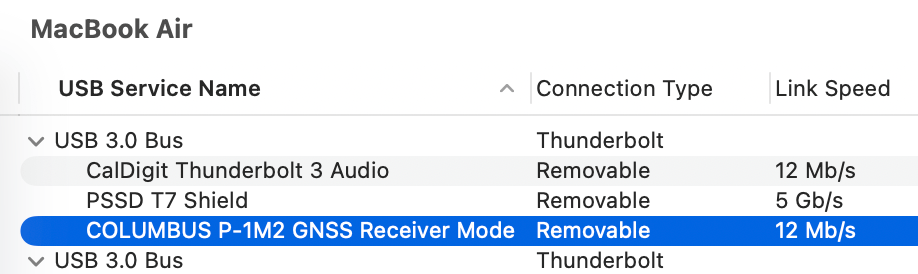
GNSS Receiver Mode is a feature that lets the device act as a USB GPS receiver using software on a PC/Mac/etc.
The way you select these modes is simple: Plug it in while powered off and it should be a USB drive. Plug it in with the power ON, and it should be a receiver.
It is unclear what control the computer has over the power mode of the device.
Anyone ran into this? Posting for the search engines…