

Last year, I spent some time fooling around in Color BASIC rendering a Donkey Kong-style screen in ASCII. Since I was not using the CoCo 3 40 or 80 column screen, I was limited to the 32×16 text screen of the CoCo’s MC6847 VDG display chip.
First, here is what the arcade Donkey Kong screen looks like. (Image from Wikipedia.com)

For my first attempt, I counted how many “blocks” across the screen it would take to render this level accurately. I did this by looking at the girder patterns where they change levels. It looked like to of the “/\/\” patterns could be a block, making 14 across the screen. I could then double that to 28, which would fit into the CoCo’s 32×16 screen with some space on each side.
I mapped it out in a text editor, and came up with this rough approximation:
12345678901234567890123456789012
         H H            BONUS
         H H             3900
         H HXXXXXXX
  OO     H H      H
  OO.....H H      H
  XXXXXXXXXXXXXXXXXXXXXXXXXX
                         H
    XXXXXXXXXXXXXXXXXXXXXXXXXX
       H     H
  XXXXXXXXXXXXXXXXXXXXXXXXXX
           H     H       H
    XXXXXXXXXXXXXXXXXXXXXXXXXX
       H       H
  XXXXXXXXXXXXXXXXXXXXXXXXXX
    U                    H
  XXXXXXXXXXXXXXXXXXXXXXXXXXXX
12345678901234567890123456789012
The numbers at the top and bottom were the columns and not part of the screen.
I was then able to use each “block” location to position the ladders (“H”) close to where they should be, as well as where the barrels should go (“U” for the one at the bottom, “O” at the top for the ones next to kong at the top).
If I take that original arcade screen shot and grid it out to be 28×16, it looks like this:

This is when I learned something interesting. Look at how the “1UP”, “HIGH SCORE” and numbers line up to the blocks. Donkey Kong likely is using a 28x?? tile system. This website breaks apart the tiles that make up the game screens:
https://www.spriters-resource.com/arcade/dk/asset/106602
Indeed, 28 across by what looks like 32 down. As long as the screen could be done with half as many rows, it could be fairly close to the arcade. Here is what my ASCII version looks like on a CoCo emulator:
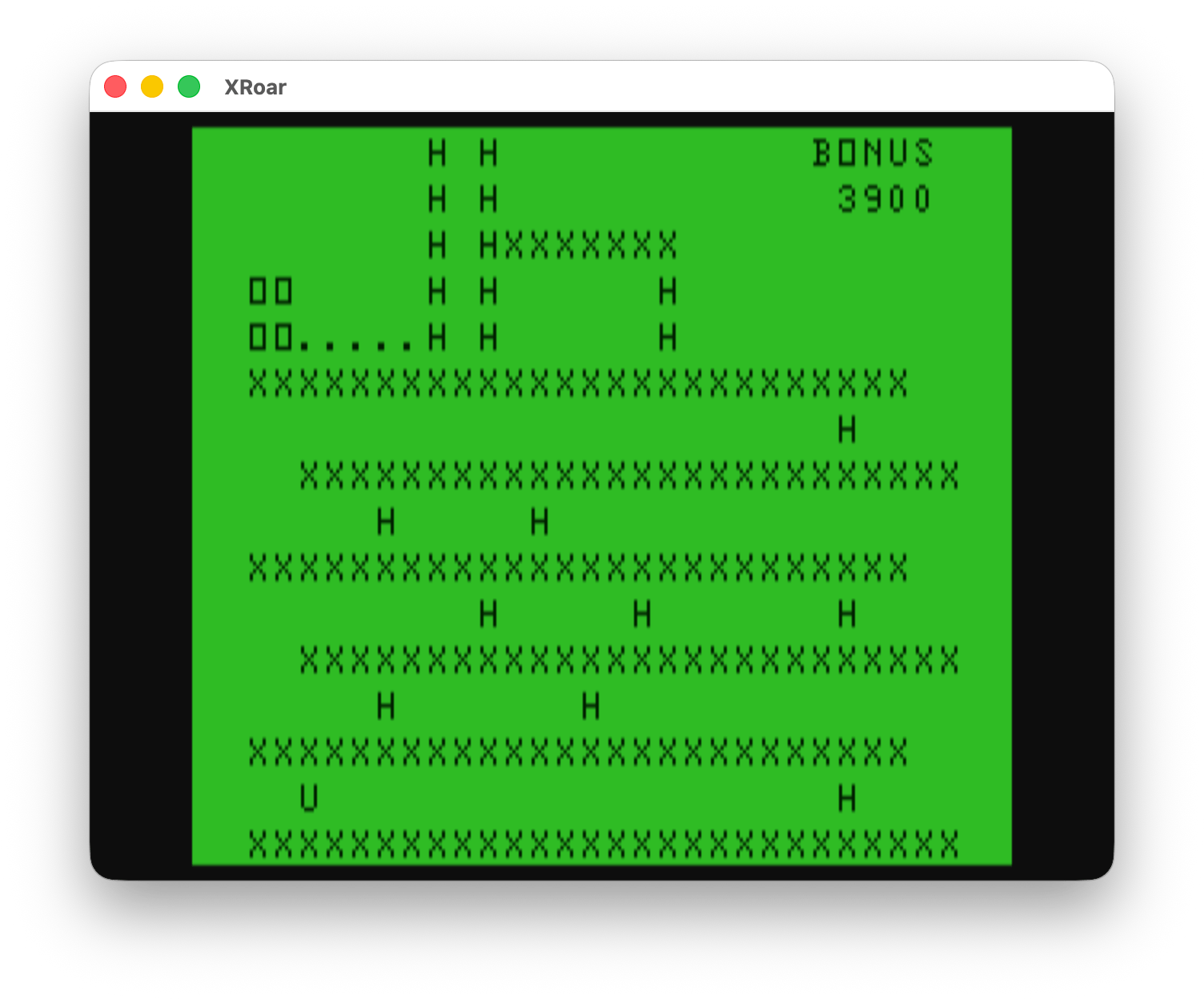
And let’s see if I can do side-by-side in WordPress:

With 32 rows in the arcade version, Mario and Pauline’s characters would be two blocks high. Since I had to half the rows to fit on the 16 row text screen, they would need to be one character block in height. A similar adjustment would have to be done for Donkey Kong.
In the arcade, Kong looks to be made up of 5×5 blocks and placed on the screen a bit lower in the grid so he stands on the top girder. From looking at arcade sprite resources, they don’t show the girder as part of the Kong graphic, so I will assume 5×5 is correct. When he is facing forward, he is centered, but when he is rolling the barrels, he extends all the way to the left or right boundary.

That is a problem, since at half height, a 5×2 row couldn’t represent Kong very well. This will be one of the major things that has to change to represent Kong on this screen. Looking at the arcade sprites, turned into the 5×4 grid, looks like this:

For my initial ASCII experiment, I came up with these:
-----
@
/=
 |\
-----
  @
 <=>
 / \
-----
    @
   =\
  /|
-----
I kept the area 5 blocks wide, but made it 3 tall and just tried to get something close to the animation the graphical version had. Since I see Kong actually reaches down to the ground, perhaps something like this might be better:
-----
(@
 /=
/ |\
-----
  @
 <=>
 / \
-----
   @)
  =\
 /| \
-----
…but I think I prefer the simplicity of the first attempt.
With every row being half the size of the arcade, instead of a rolling barrel being a full block tall, it now is half a block. I could use something like an ASCII period (“.”) I guess. And for the fireball, I could use something like an “*” or maybe “&” or “@”. It gets ugly real fast.
I am going to go think on this a bit… Comments if you have them.
Until next time…
It is strange what you say that the size of the images and sprites are 5 * 5 or 5 * 4, normally the arcades are always 8 * 8
I think that would be the size of scaling them down on the CoCo screen to fit. I am unsure what the size of the original arcade tiles are, but searching says the resolution is 224×256 (sideways monitor). If there are 28 tiles across (based on the tech characters), they would be 8 pixels wide (224/28=8), and if it is 32 tiles down that would be 8 pixels tall (256/32=8) so your 8×8 matches.
We could get 224 across with room to spare on the 256 wide PMODE4 screen, but since we only have 192 down we’d have to make those 6. So, 8×6 tiles?